Built-in blog

Turn your
buying advice
into orders.

Orbit’s built-in blog lives in the same dashboard as your products. Write a guide, link the chairs it talks about, set the title and description search engines show, and publish. Each post gets a clean address, a preview card when someone shares it, and a place in your sitemap.

Start for free
14 days free, no cardSee what it costs

On every plan from £25 a month

Larkfield Office
ShopStorageAbout usContact
GBP 2
chairsguides
How to choose a task chair
18 September 2026
Start with the seat height

Your feet should rest flat on the floor with your knees level with your hips. If they do not, look for a gas lift with a wider range before you look at anything else.

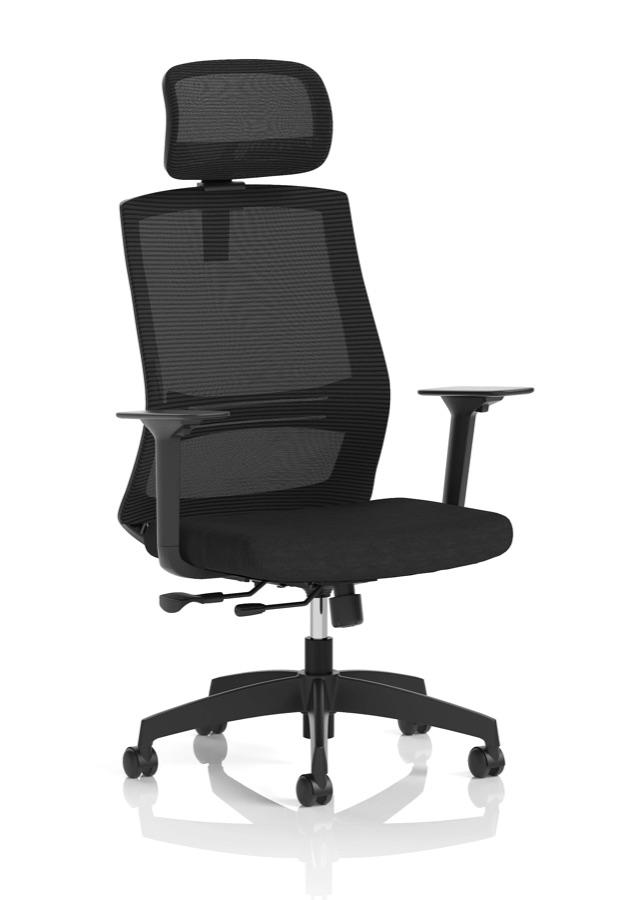
A mesh back such as the Ventra Mesh Task Chair keeps you cool through a long afternoon.

Product links in your posts

One click to the product page

Automatic share previews

Image, title and excerpt

How to choose a task chair | Larkfield Office

larkfield-office.example › blog › how-to-choose-a-task-chair

Seat height, lumbar support, armrests and mesh versus fabric: a practical guide from the Larkfield Office team.

How to choose a task chair | Larkfield Office

larkfield-office.example › blog › how-to-choose-a-task-chair

Seat height, lumbar support, armrests and mesh versus fabric: a practical guide from the Larkfield Office team.

Larkfield Office2
chairsguides
How to choose a task chair
18 September 2026
Start with the seat height

Your feet should rest flat on the floor with your knees level with your hips. If they do not, look for a gas lift with a wider range before you look at anything else.

A mesh back such as the Ventra Mesh Task Chair keeps you cool through a long afternoon.

How to choose a task chair | Larkfield Office

larkfield-office.example › blog › how-to-choose-a-task-chair

Seat height, lumbar support, armrests and mesh versus fabric: a practical guide from the Larkfield Office team.

Product links in your posts

One click to the product page

Automatic share previews

Image, title and excerpt

  • Every post in your sitemap
  • Old links redirect when a post moves
  • Import and export by CSV
  • Nebula drafts, you press Save

Visual editor with HTML view

Headings, lists, images and links

Writing

Write it here, publish it when you like.

The post editor sits next to your orders and products, so the guide about a chair is written where the chair is.

A proper editor

Headings, lists, quotes, colours, highlights, alignment, images and links, with an HTML view when you want to see the source. Posts read well on phones without extra work.

Nebula drafts, you decide

Ask Nebula for a post and it fills in the title, content, excerpt and search fields on the form. Nothing is saved until you press Save, and nothing goes live until you press Publish.

Hide it, do not delete it

Set a post as hidden to take it off your shop without losing it, and set it visible again when you want it back. Nebula can archive, unpublish or republish a post you name.

Two people, one post

If a colleague opens the post you are editing, you both see each other, and a warning stops one save from wiping the other.

Latest posts on any page

All posts or a single tag

On your shop

Posts that look like your shop.

The blog listing and the post page are page-builder templates, so they wear your theme, and a Blog Listing block puts your latest guides on any page.

Designed in the builder

The blog listing and the post page are templates you edit like any other page. A single post can even have its own designed page.

Latest posts anywhere

Drop a Blog Listing block on the homepage or a category page, choose all posts or one tag, and set how many to show.

Links that stay on site

Link to your own pages by their path, such as /products/ventra-mesh-task-chair, and the link opens in the same tab and keeps its search value. Full web addresses and links to other sites open in a new tab.

In every language you sell in

Switch on auto-translate and a post’s title, excerpt, content and search fields are translated into every language your shop offers, using your plan’s Nebula allowance.

The details

For whoever runs the blog.

Fields, statuses and the tools for moving a blog in, named the way the dashboard names them.

A post

Every field, in one form.

Title, content, excerpt, featured image, blog, author, tags, page title, meta description, handle and your own custom fields, in one editor with Save draft and Publish at the top.

  • Title
  • Content
  • Excerpt
  • Featured image
  • Blog
  • Author
  • Tags
  • Page title, 70
  • Meta description, 160
  • Handle
  • Custom fields

Blogs and tags

One blog per post, tags for the rest.

Blogs are containers (News, Guides, Product spotlights); a post belongs to one. Tags cross-file posts, and the Blog Listing block can pick posts by tag.

  • Draft
  • Published
  • Archived
  • One blog per post
  • Tags
  • Filter by tag
  • Search by keyword

Team and Nebula

Who wrote it, and who helped.

The author is one of your staff accounts. Two people on the same post see each other. Nebula drafts into the form, answers what is live, and can publish, unpublish or archive a post you name.

  • Author from a staff account
  • Presence on the post
  • Stale-save warning
  • Nebula drafts to the form
  • Nebula publishes on request
  • Nebula archives on request

Moving in

Bring the posts you have.

Import blogs and posts from CSV: the importer reads your headers, maps them to Orbit’s fields and lets you fix any it could not guess. Export goes the same way, all posts or a selection, and an update-only file can change statuses in bulk.

  • CSV import
  • Header auto-detect
  • Column mapping
  • Update matching handles
  • CSV export
  • All, filtered or selected
  • Bulk status changes

Read from the blog post editor, the importer and the API on 23 September 2026.

Made to share

Social, messaging and search

A post’s featured image, title and excerpt become its preview card on social networks and messaging apps, and your sitemap lists it for search engines.

Tags

One post, many places

A post lives in one blog, and its tags file it wherever else it belongs. The Blog Listing block can put a tag’s posts on any page.

One click

From guide to product

Link the products a post talks about by their path and each link opens in the same tab, so readers go straight from the guide to the product page.

Plans

The blog is on every plan.

Solo

Included from here

£19

a month, billed yearly, ex VAT

Included: Blog, unlimited posts, CSV import and export

14 days free, no card

Team

£64

a month, billed yearly, ex VAT

Included: Blog, unlimited posts, CSV import and export

14 days free, no card

Pro

£187

a month, billed yearly, ex VAT

Included: Blog, unlimited posts, CSV import and export

14 days free, no card

Enterprise

£749

a month, billed yearly, ex VAT

Included: Blog, unlimited posts, CSV import and export

14 days free, no card

Compare every plan

The blog is in every plan with no post limit. Nebula drafting uses each plan’s monthly Nebula allowance.

FAQ

Blog questions, answered.

Publishing, search, Nebula and moving in, in plain words.

Related

Where the blog fits in.

SEO

Search that ships with the shop

Sitemaps, redirects, structured data and the fields on every product, category and post.

Page builder

Pick a theme. Then make it yours.

The blog listing and the post page are templates you design like any other page.

From our blog

SEO that ships by default

What Orbit does for search without a plugin, and the few things that are still yours to write.

Built-in blog

Your first post could be live this afternoon.

The blog is in every plan, in the dashboard you already use, with no separate CMS to connect.

Start for free
14 days free, no cardSee the pricing

We value your privacy

We use cookies to enhance your browsing experience, analyse site traffic, and personalise content. By clicking "Accept all", you consent to our use of cookies. You can manage your preferences or learn more in our Cookie Policy.