Everything you need to promote Orbit.

Logos, brand colours, product screenshots, and ready to use copy, all in one place and free to use in your videos, articles, and posts about Orbit Commerce.

Logos

The Orbit Commerce logo

Five files cover every situation. Each one comes as SVG for the web and PNG for everywhere else, or grab the whole pack in one zip.

Orbit Commerce Logo, black and green

Logo, black and green

For light backgrounds

Orbit Commerce Logo, white and green

Logo, white and green

For dark backgrounds

Orbit Commerce Logo, all white

Logo, all white

For photos and busy backgrounds

Orbit Commerce Icon, black and green

Icon, black and green

For avatars and small spaces

Orbit Commerce Icon, white and green

Icon, white and green

For avatars on dark backgrounds

Please do

  • Write the name as two words: Orbit Commerce.
  • Use the SVG files where you can, and the PNG files everywhere else.
  • Keep clear space around the logo of at least the height of the icon mark.
  • Match the logo to the background: black and green on light, white versions on dark.

Please do not

  • Change the colours, stretch, rotate, or add effects.
  • Place the logo on backgrounds where it is hard to read.
  • Suggest your site or channel is run by Orbit Commerce.
  • Bid on Orbit brand terms in paid search. It is against the programme terms.

Colours and fonts

The brand palette

Click any swatch to copy its hex code. These are the colours and typefaces the Orbit Commerce site and product use.

Geist

Headlines and body text

Instrument Serif

Italic accents in headlines

Geist Mono

Numbers and code

Screenshots

Show the product in action

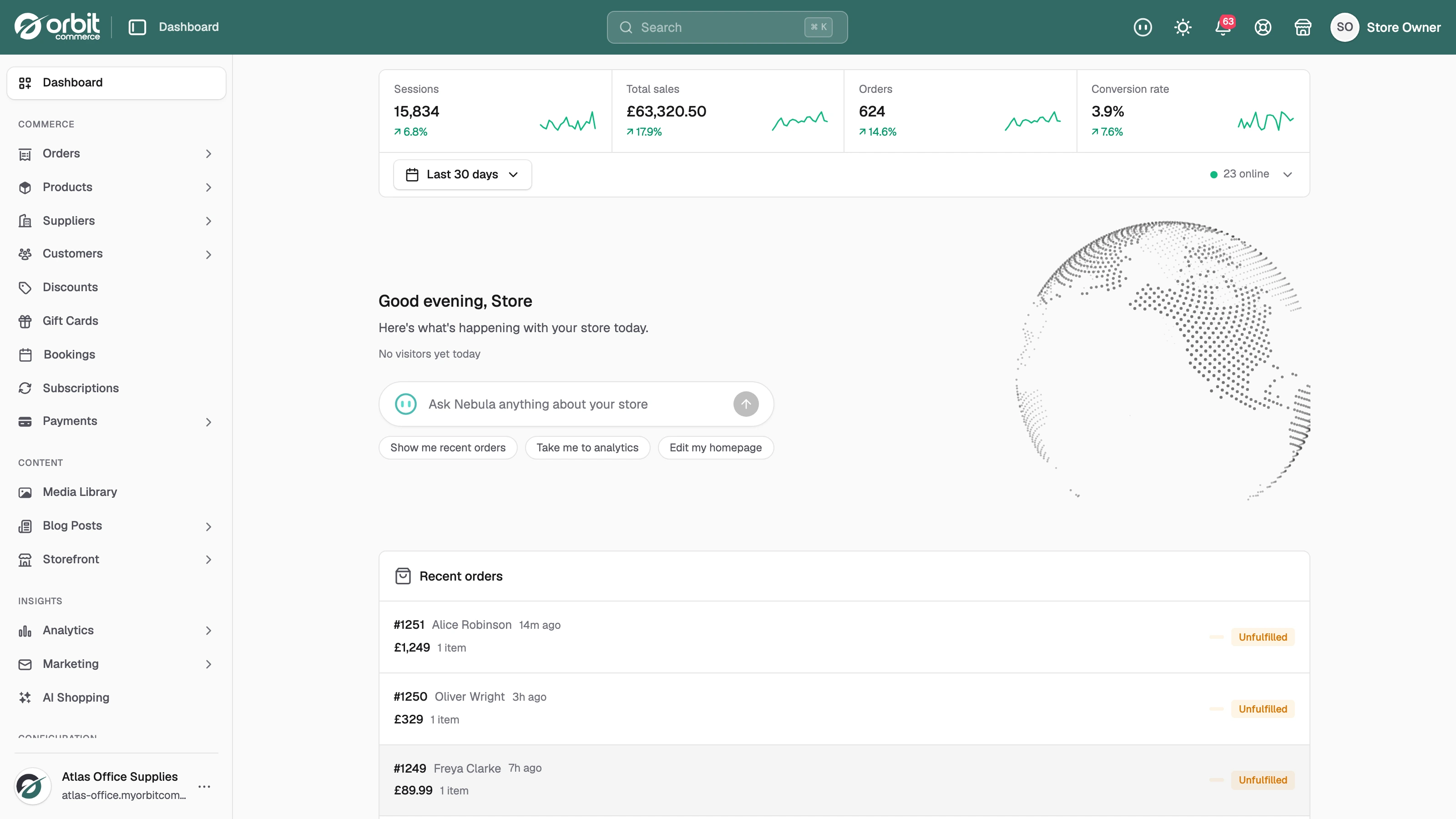
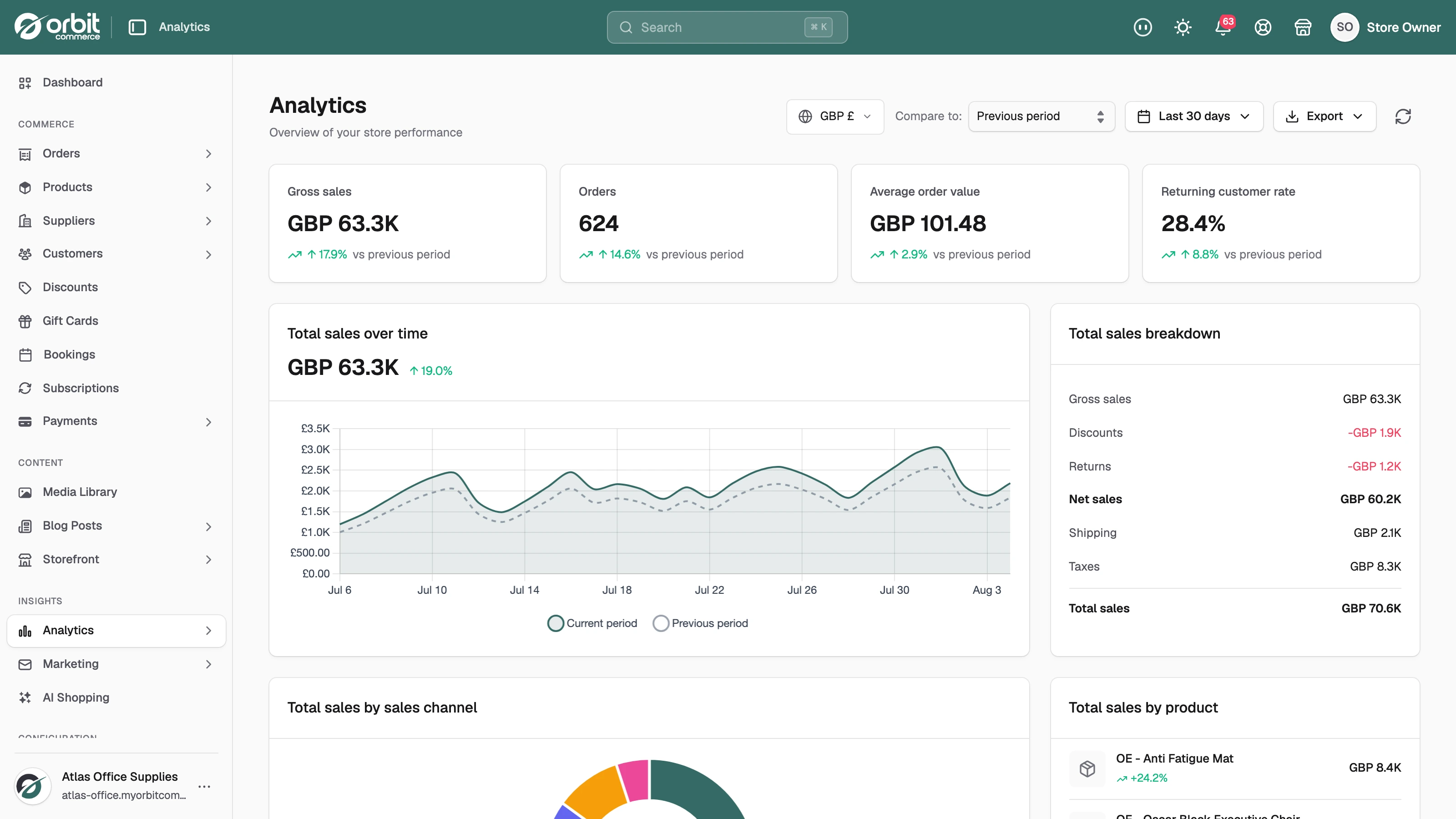
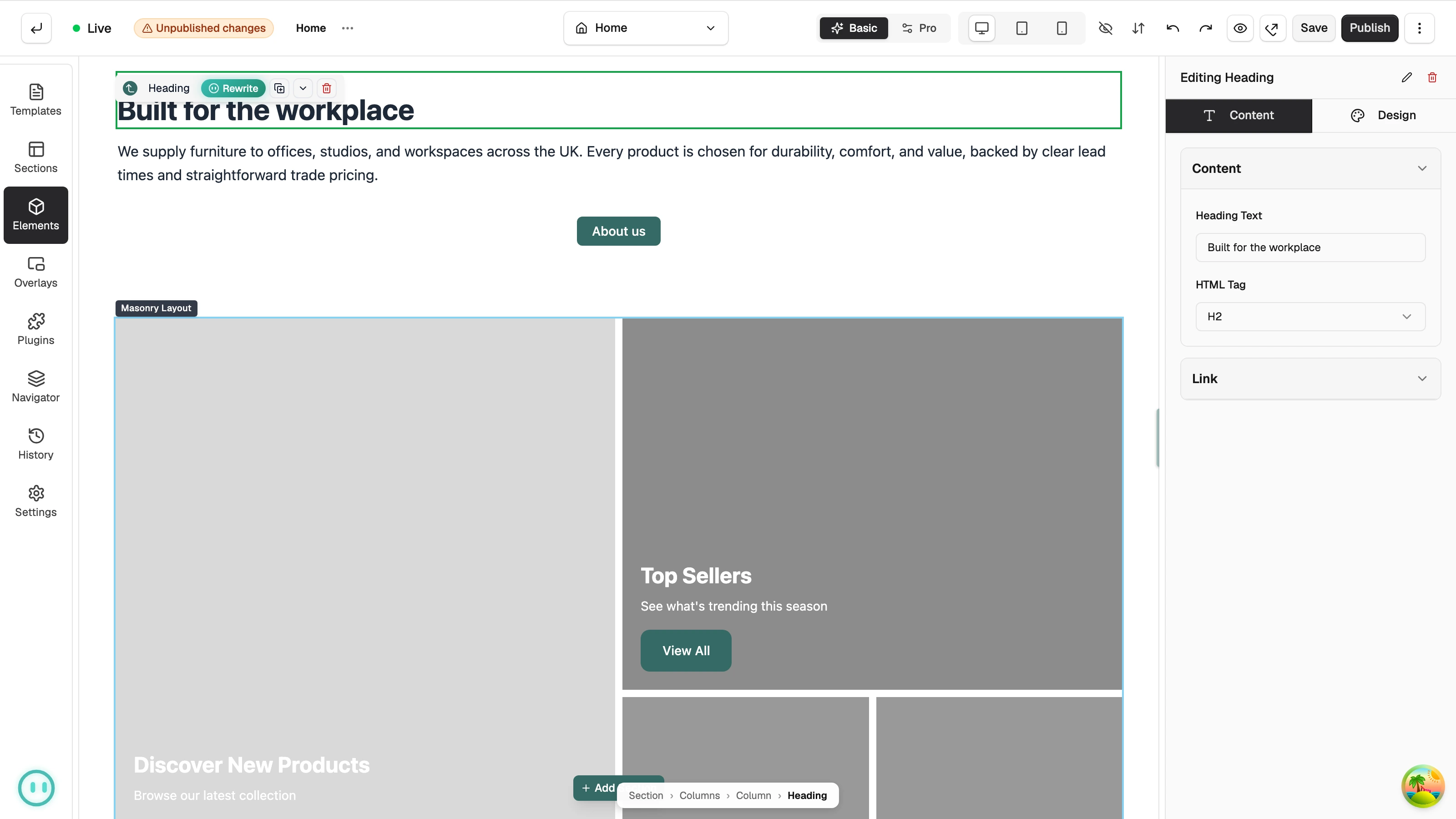
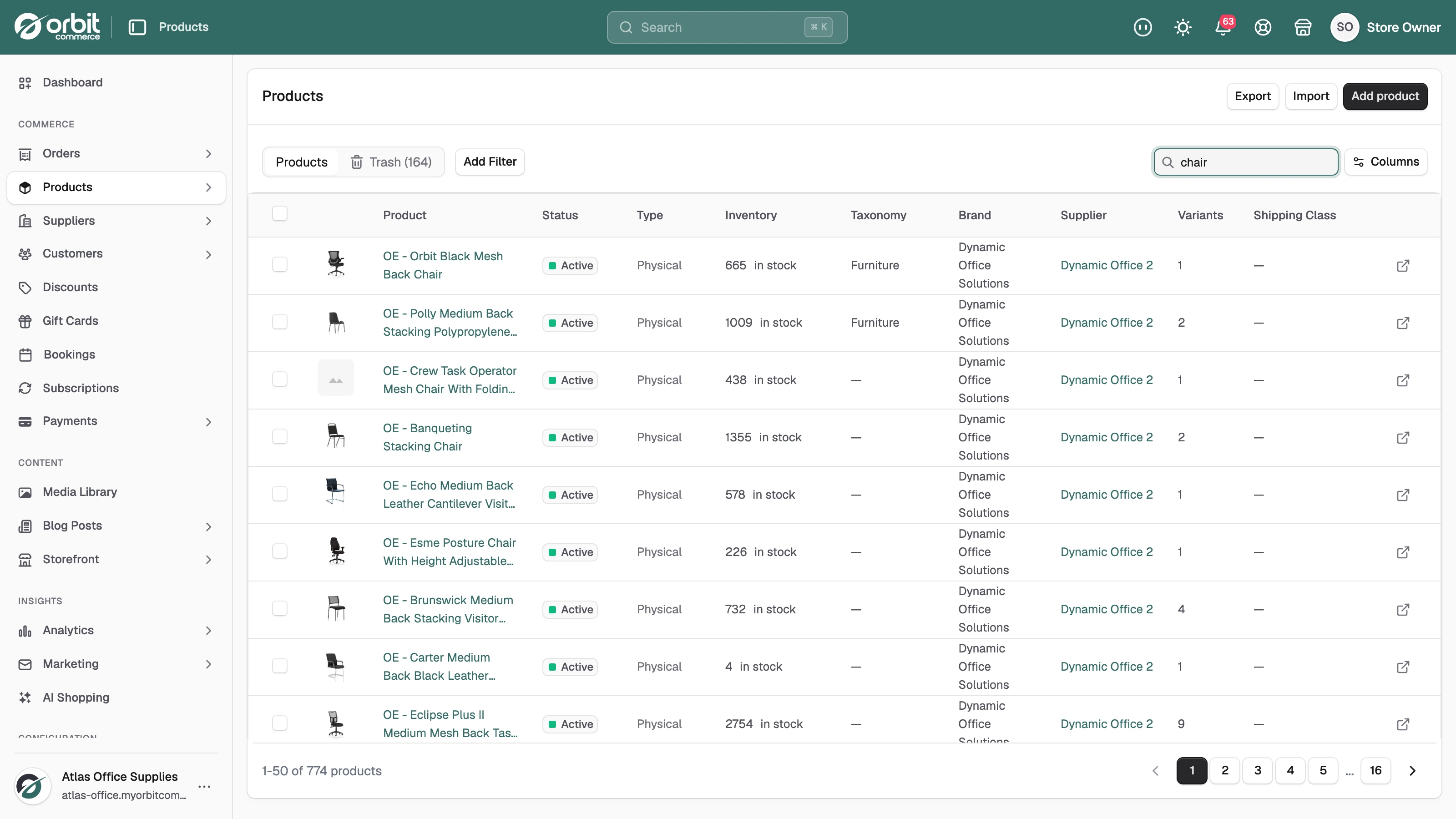
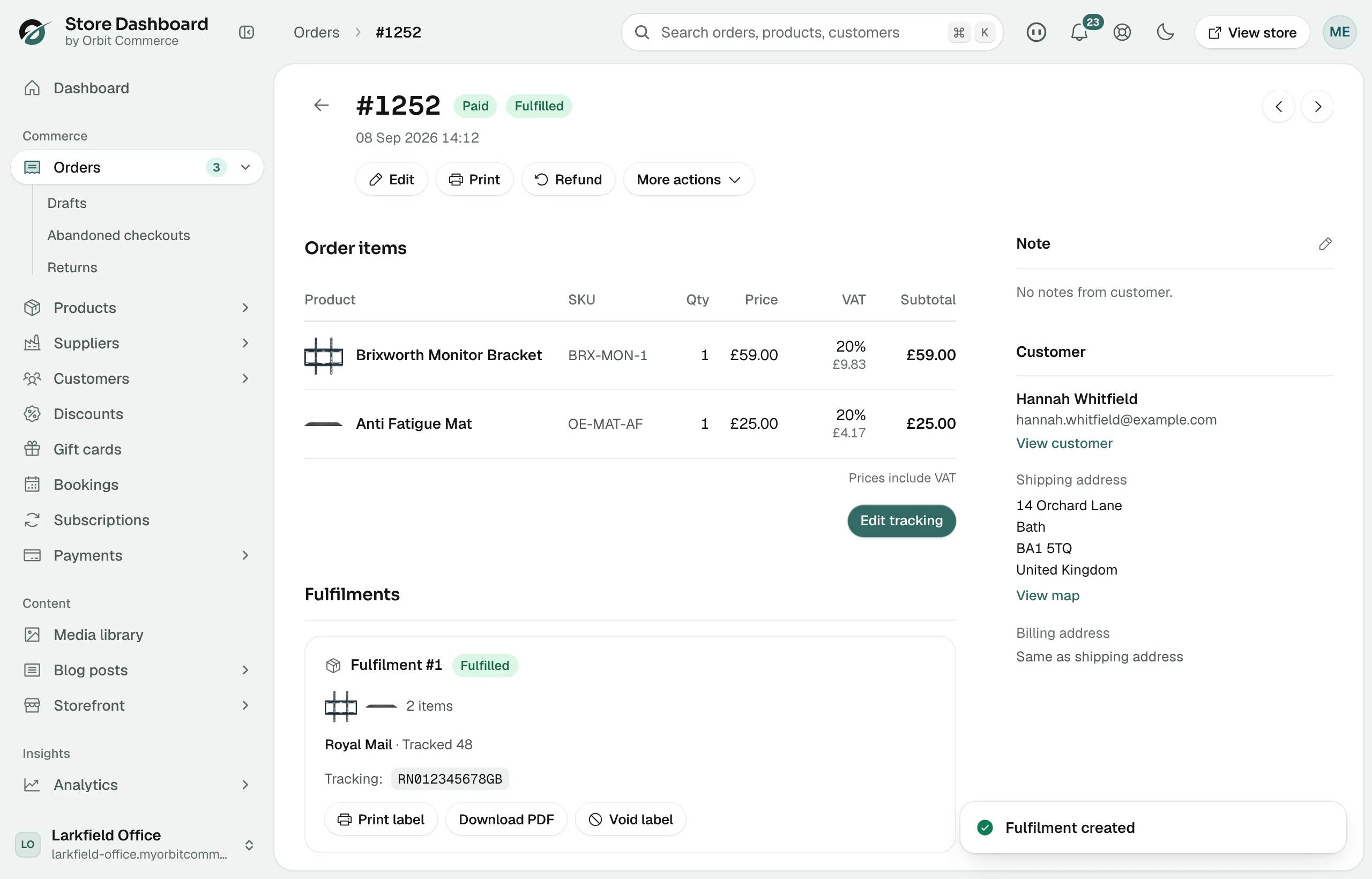
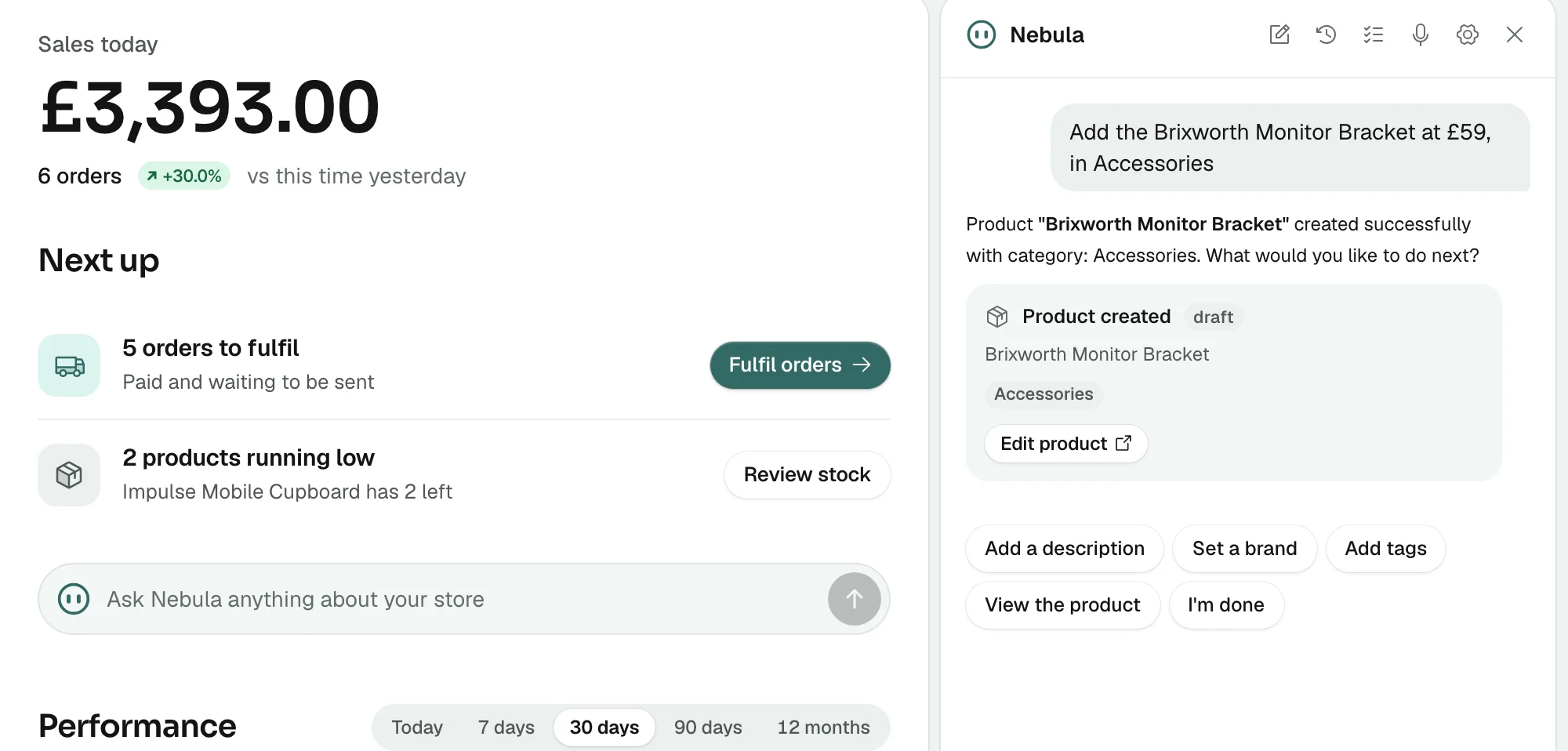
High resolution shots of the Orbit Commerce dashboard, ready to drop into reviews, tutorials, and comparison posts.

Orbit Commerce Dashboard home screenshot

Dashboard home

Download
Orbit Commerce Analytics screenshot

Analytics

Download
Orbit Commerce Page builder screenshot

Page builder

Download
Orbit Commerce Product list screenshot

Product list

Download
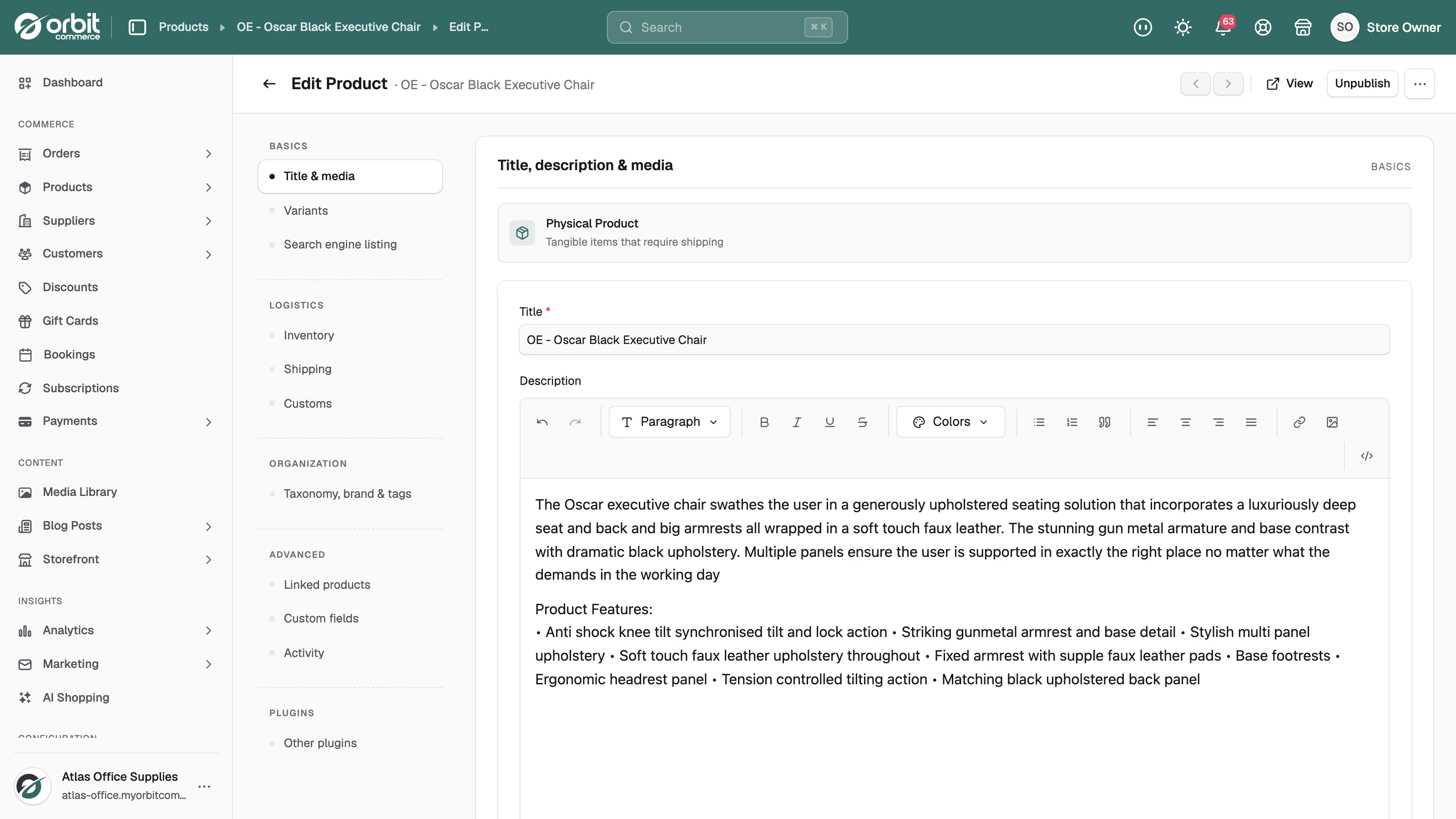
Orbit Commerce Product editor screenshot

Product editor

Download
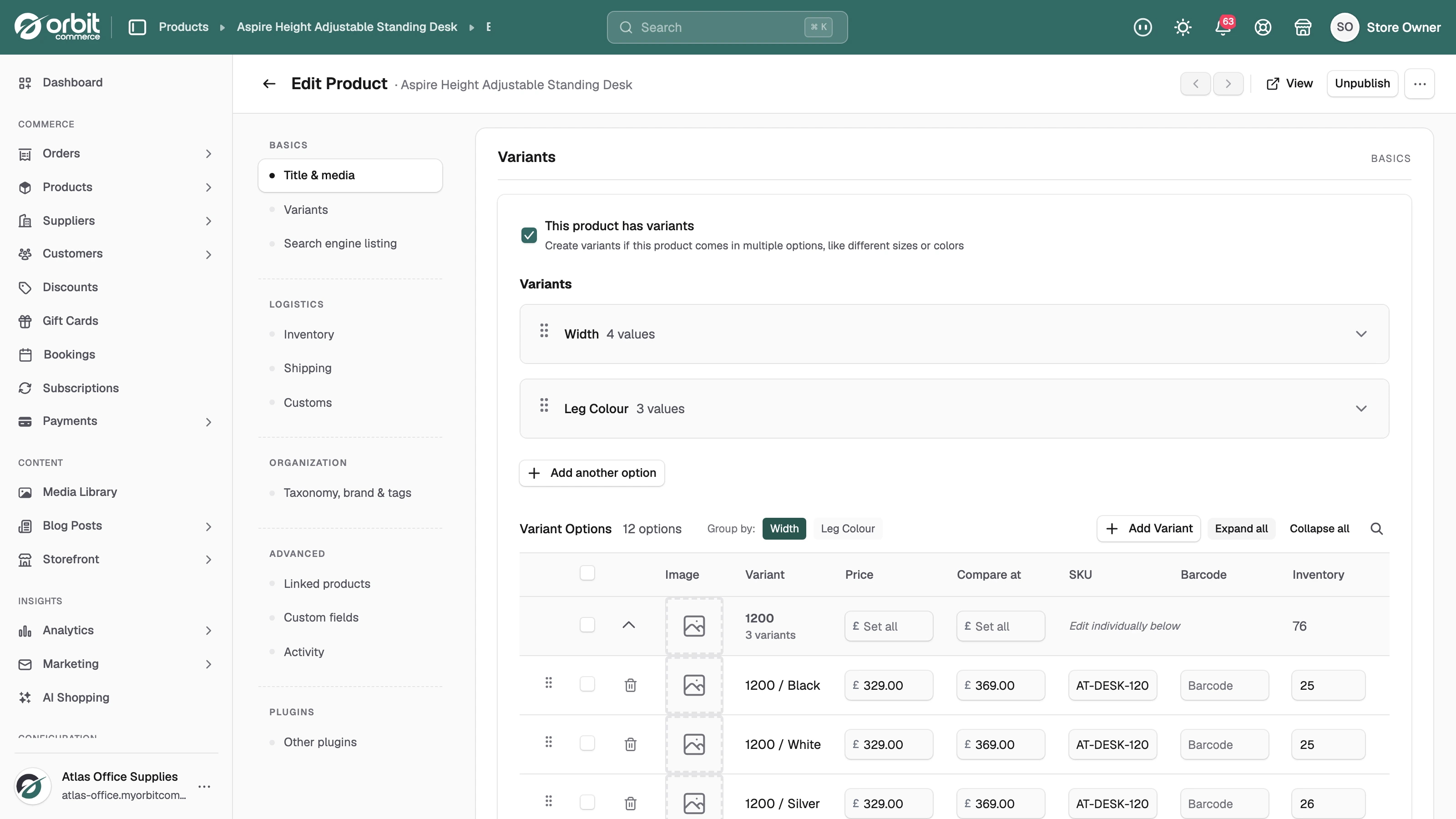
Orbit Commerce Variant editor screenshot

Variant editor

Download
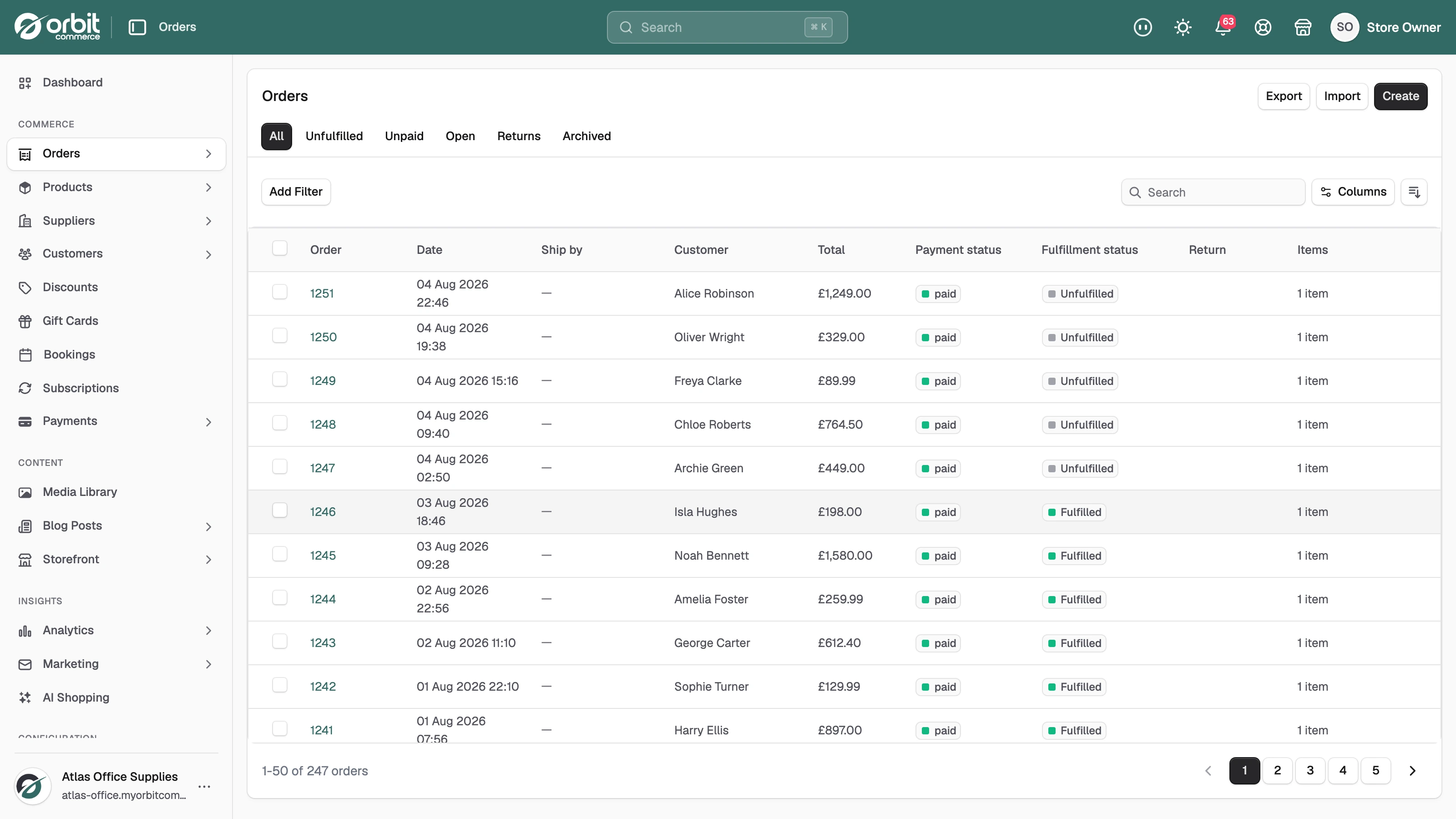
Orbit Commerce Orders list screenshot

Orders list

Download
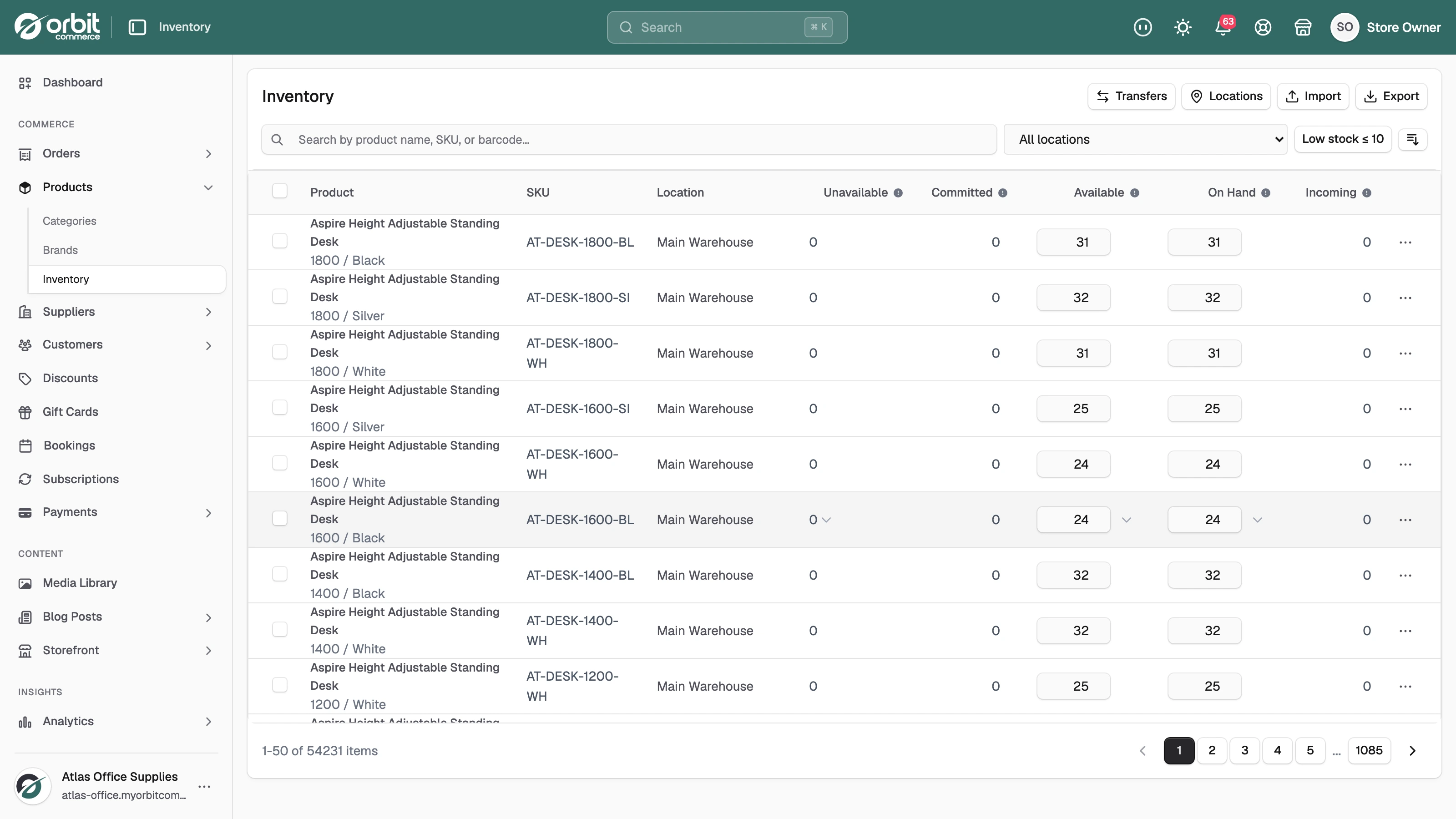
Orbit Commerce Inventory management screenshot

Inventory management

Download

Ready to use copy

Words that are ready to paste

Descriptions, selling points, and programme facts you can use as they are or adapt to your own voice.

Short description

For bios, directories, and link descriptions.

Orbit Commerce is a UK ecommerce platform for building and running an online store. Merchants get a drag and drop store builder, products, inventory, orders, payments, and marketing tools in one place, with clear monthly plans and support based in the UK.

Longer description

For reviews, articles, and comparison posts.

Orbit Commerce is a UK ecommerce platform that gives merchants everything they need to sell online in one place. Stores are built with a drag and drop page builder on professional themes, and the dashboard covers products, variants, inventory, orders, payments, and marketing. Merchants can sell in multiple currencies, connect suppliers, and extend their store through a growing plugin store. Plans are priced monthly in pounds, support is based in the UK, and new merchants can start on a free trial and upgrade when they are ready.

Key selling points

Use these as bullet points or talking points.

Built in the UK, priced in pounds, with UK based support.

One dashboard for products, orders, payments, and marketing.

A drag and drop page builder with professional themes.

Multi currency selling and a growing plugin store.

New merchants start on a free trial and upgrade when ready.

Programme facts

The numbers behind the affiliate programme.

You earn 25% of every subscription payment your referral makes for their first 12 months.

Tracking lasts 30 days from the click.

Commissions clear after a 30 day hold, then you can withdraw from £50 by bank transfer or PayPal.

Your dashboard shows clicks, signups, conversions, and earnings in real time.

The rate in force is always shown in your affiliate dashboard.

Missing something?

If you need an asset that is not here, a different format, or a discount code for your audience, ask the programme team from your affiliate dashboard and we will sort it out.