
Run your store from your phone or iPad.

The Orbit Commerce app for iPhone, iPad and Android tells you when an order arrives, and you can fulfil it, edit a product or check your stock from your phone. On iPad it adds the dashboard’s side menu and the full page builder.

  • Download on the App Store
  • Get it on Google Play

The app is free, and it uses the same login as your dashboard.

New to Orbit Commerce? Start for free. 14 days free, no card.

A notification for each order

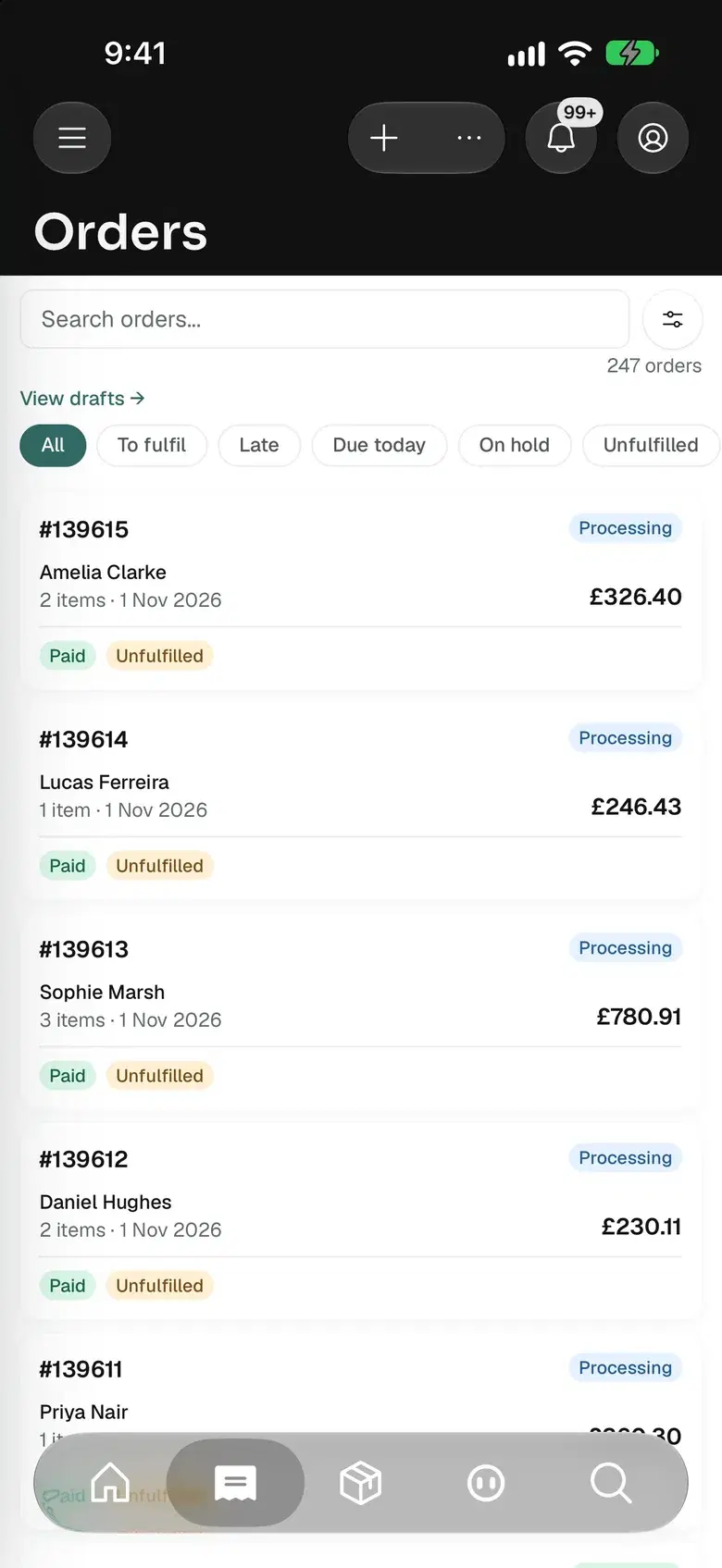
Tap it to open the order

  • Free to download
  • iPhone, iPad and Android
  • Full page builder on iPad
  • Included on every plan

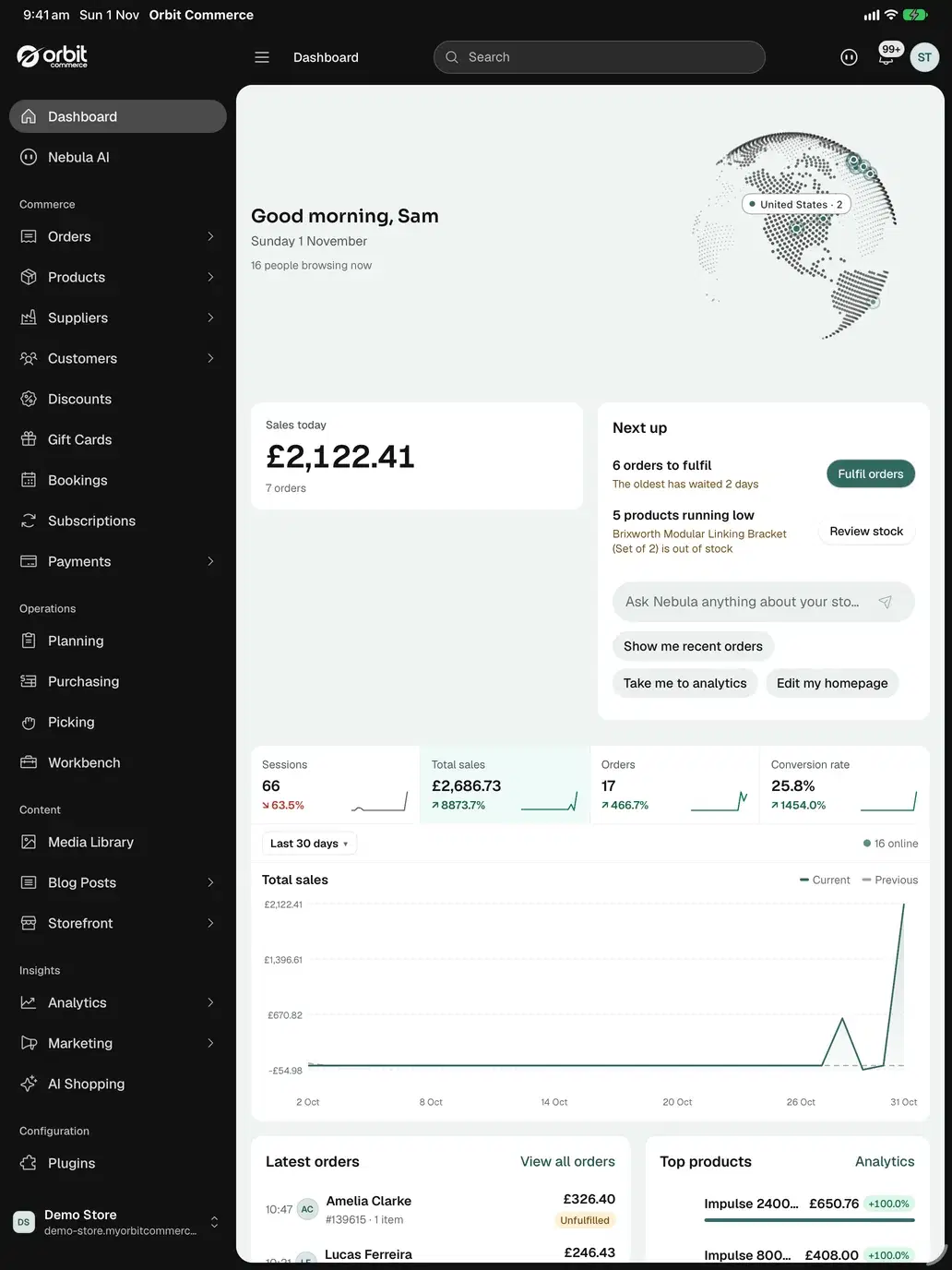
The dashboard’s whole menu, on iPad.

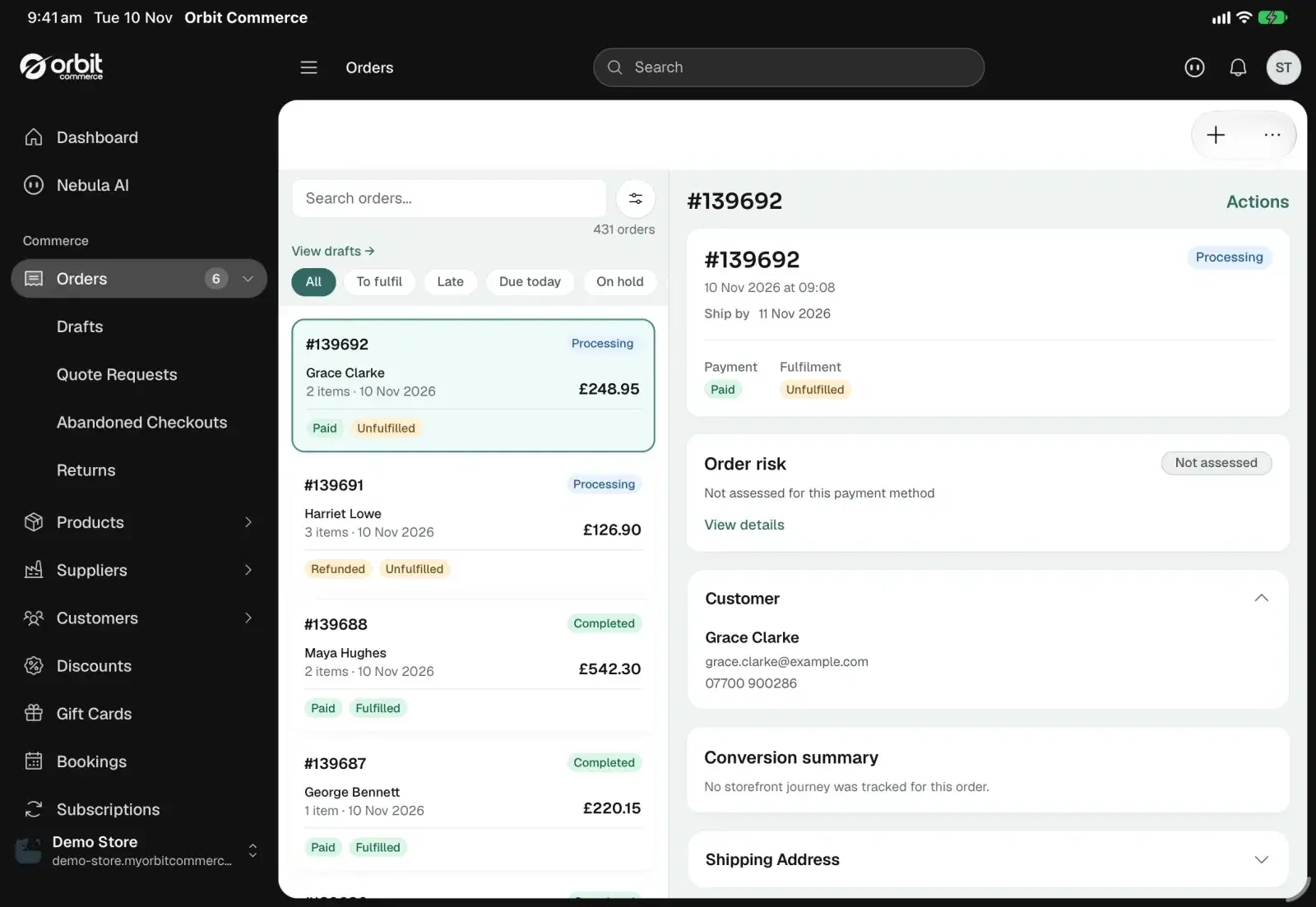
On iPad the app has the dashboard’s side menu, a list beside the record you open and the full page builder. You can run the store from it.

Every area, one tap away

Orders, products, suppliers, customers, discounts, bookings, analytics, plugins and settings are in the side menu, and the menu folds down to icons when you want the room.

A list beside the record

On its side, an iPad shows your orders, your products or your live chat conversations in one column and the one you tap in the next.

Keyboard shortcuts

With a keyboard connected to an iPad, Command and a number opens Dashboard, Orders, Products, Customers or Settings, and Command K opens Nebula.

Android tablets too

An Android tablet with a wide screen gets the same side menu, the same two columns and the same page builder.

Build your pages on iPad.

Open a page on an iPad and it opens in the page builder, the same one as on your computer. Add a section, change the words and the colours, and publish.

Sections and elements

Add a ready-made section or a single element, then set its content, layout and design in the panel beside the page.

Headers, footers and popups

Your header, footer, popups and banners open in the same builder, from Templates under Storefront in the side menu.

Every screen size

Preview the page at desktop, tablet and phone widths before you publish.

And on a phone

A phone has its own page editor, for changing the words and settings of what is on a page.

Know about every order as it arrives.

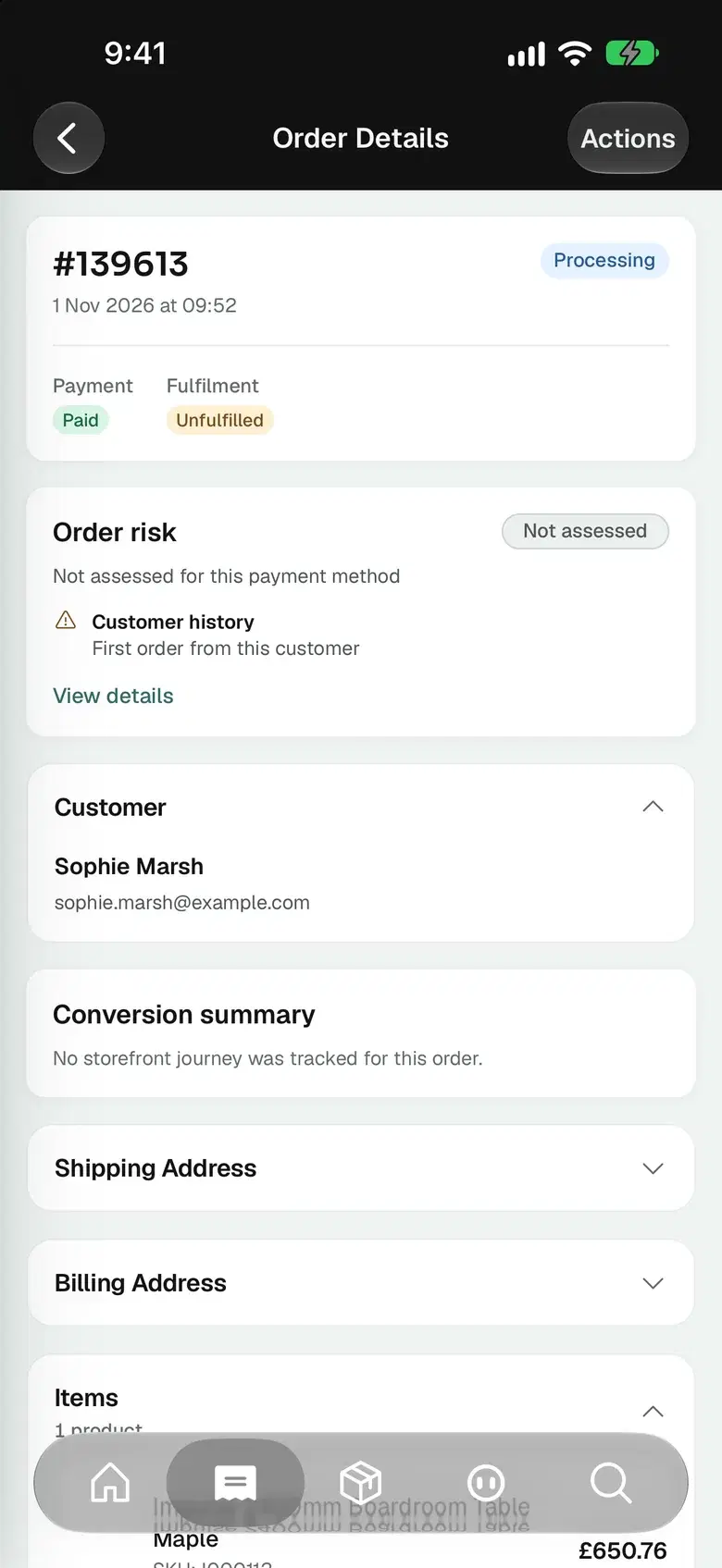
A new order sends a notification to your phone, and a tap on it opens the order. The next job is on the same screen.

Fulfil it

Mark the items as fulfilled, add the tracking number and choose whether the customer gets an email.

Hold, duplicate or cancel it

The Actions menu on an order puts it on hold, duplicates it, archives it or cancels it.

Handle the return

Approve a return request, and send the refund when the items are back.

Share the paperwork

Print an invoice or a packing slip, or share it as a PDF.

Keep products and stock up to date.

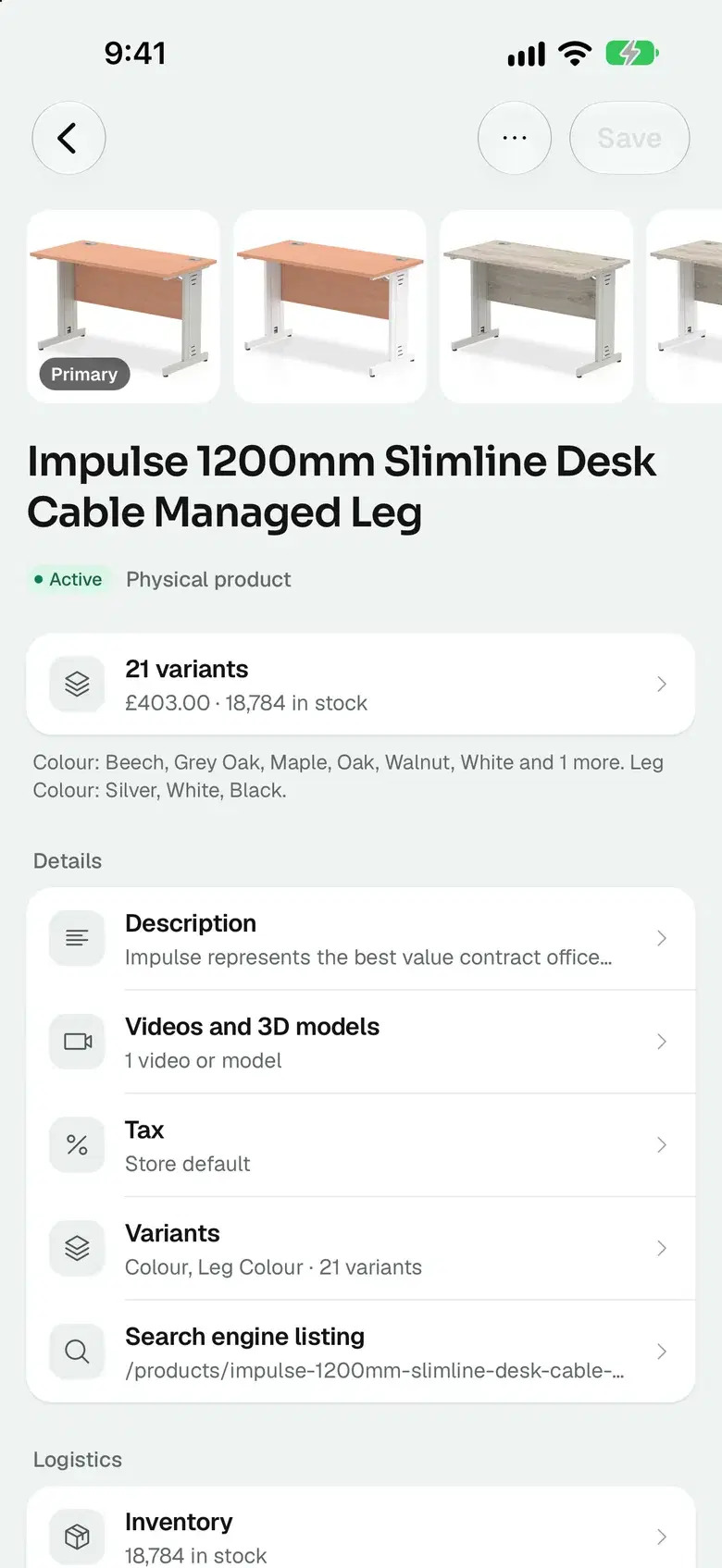
Create a product or edit one with its variants, photos, prices and stock. What you save in the app is what your customers see on your store.

Photos from your camera

Take a photo with your phone and add it to the product in the same step.

Prices and margins

Set the price and the cost of a product, and the app works out the margin as you type.

Stock at every location

Adjust the stock at each location, and move stock between locations with a transfer.

Your catalogue as a file

Import products from a CSV file, or export the catalogue to one.

See who is on your store right now.

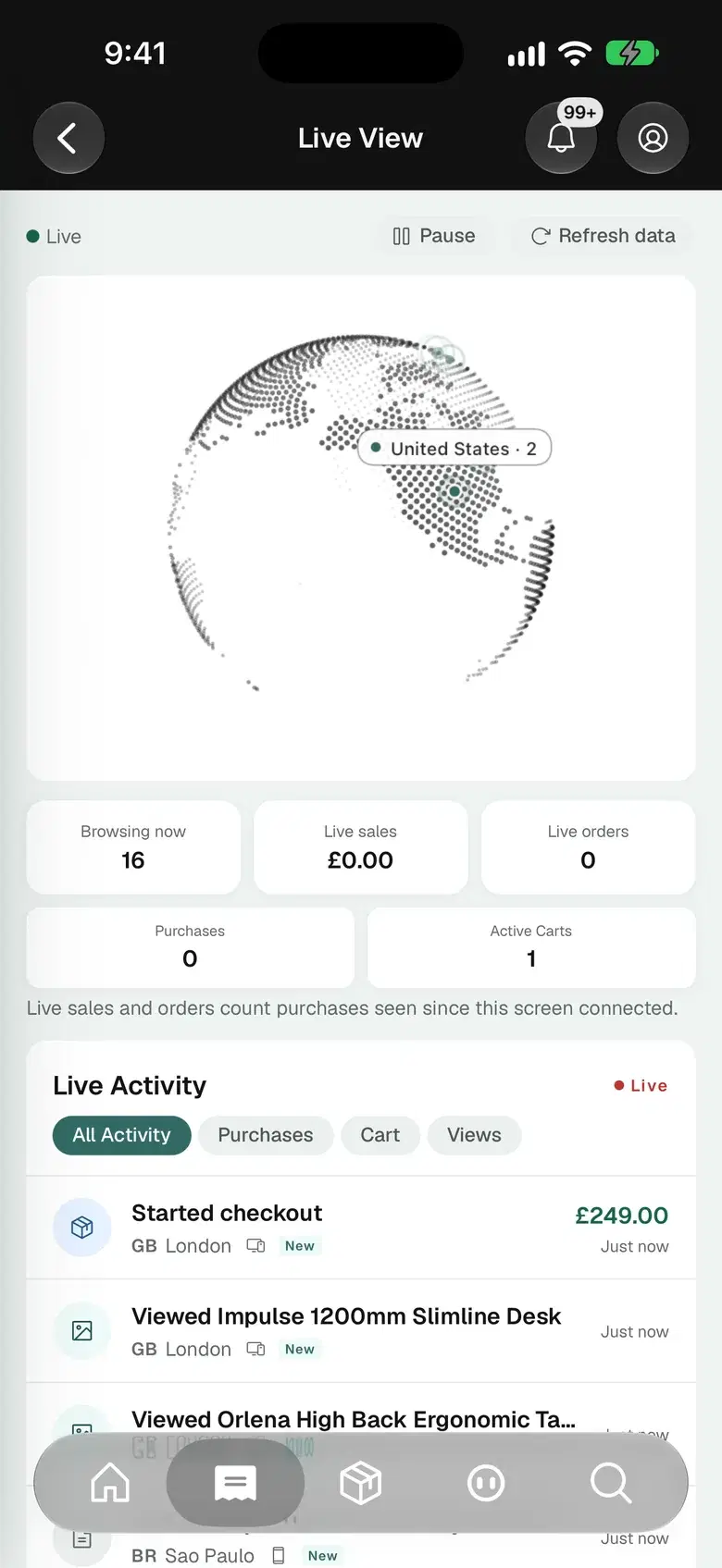
Live View shows the shoppers on your store, the country each one is in and what they are looking at. It is on every plan.

Shoppers on the globe

Each country with visitors is marked on the globe, with the number browsing from it.

Baskets and checkouts

The activity list shows a product viewed, a basket filled or a checkout started, moments after it happens.

Today on one screen

The dashboard opens on today’s sales, the orders waiting to be fulfilled and the products running low.

Reports for the detail

Sales, conversion and product reports are in the same app.

What else is in the app.

Each card names something the app does today.

Widgets

Today’s sales without opening the app.

Add a widget to your Home Screen for today’s sales or for the orders waiting to be fulfilled. iPhone and iPad have more widgets, for stock running low, recent orders, returns, top sellers and the week’s sales, and two for the Lock Screen.

  • Today’s sales
  • Orders to fulfil
  • Stock running low
  • Lock Screen

Notifications

Your phone tells you what you ask it to.

A notification about an order opens that order. The app’s settings have a switch for each kind of notification.

  • New orders
  • Opens the order
  • A switch for each kind

Security

Signed in the way your dashboard is.

Two-step sign-in uses a passkey, confirmed with your face or your fingerprint, or a code from an authenticator app. You can remove trusted devices you no longer use.

  • Passkeys
  • Authenticator app codes
  • Trusted devices
See security

Languages

The app is in 19 languages.

They include French, German, Spanish, Italian, Dutch, Japanese, Korean and Thai.

  • English
  • Français
  • Deutsch
  • Español
  • 日本語

Team

Each person sees what their role allows.

Your staff sign in with their own accounts. The app shows each of them the areas their role covers.

  • Their own login
  • Roles and permissions
See team accounts

Pages

Write or correct a page from your phone.

Create a page or edit one, with its title, its text and its search engine listing.

  • New pages
  • Edit the text
  • Search engine listing

Nebula AI

Ask Nebula about your store.

Nebula has its own tab in the app. Ask it a question about your store, such as which products to reorder this week.

  • Its own tab
  • Answers from your store’s data
See Nebula

Live chat

Answer a shopper from the shop floor.

With the Live Chat plugin, conversations from your store arrive in the app. You can reply or leave a note for your team.

  • Reply to shoppers
  • Notes for your team
See live chat

Free to download, on every plan.

Solo

Included from here

£19

a month, billed yearly, ex VAT

Included: The Orbit Commerce app

14 days free, no card

Team

£64

a month, billed yearly, ex VAT

Included: The Orbit Commerce app

14 days free, no card

Pro

£187

a month, billed yearly, ex VAT

Included: The Orbit Commerce app

14 days free, no card

Enterprise

£749

a month, billed yearly, ex VAT

Included: The Orbit Commerce app

14 days free, no card

Compare every plan

The app is free on the App Store and Google Play. It works with every plan and during your 14-⁠day trial. Prices exclude VAT.

App questions, answered.

Cost, devices, iPad, sign-in, notifications, widgets and languages.

Open your store on your phone.

The app is free on the App Store and Google Play, and it works with every plan and the 14-day trial.

Start for free14 days free, no cardGet the app

We value your privacy

With your consent, we use cookies to analyse site traffic and personalise content. Read our Cookie Policy or .