Of all the ways to get more orders, this is the cheapest, because the hard part already happened.
Somebody found you. They looked at products, chose one, put it in a basket and started checkout. Every expensive step of the funnel is behind them. Then something interrupted: a phone call, a delivery cost they wanted to think about, a card in another room, a train arriving.
That basket does not need to be sold to. It needs reminding. That is the whole feature, and it consistently pays for itself faster than anything else you can switch on.
How it works
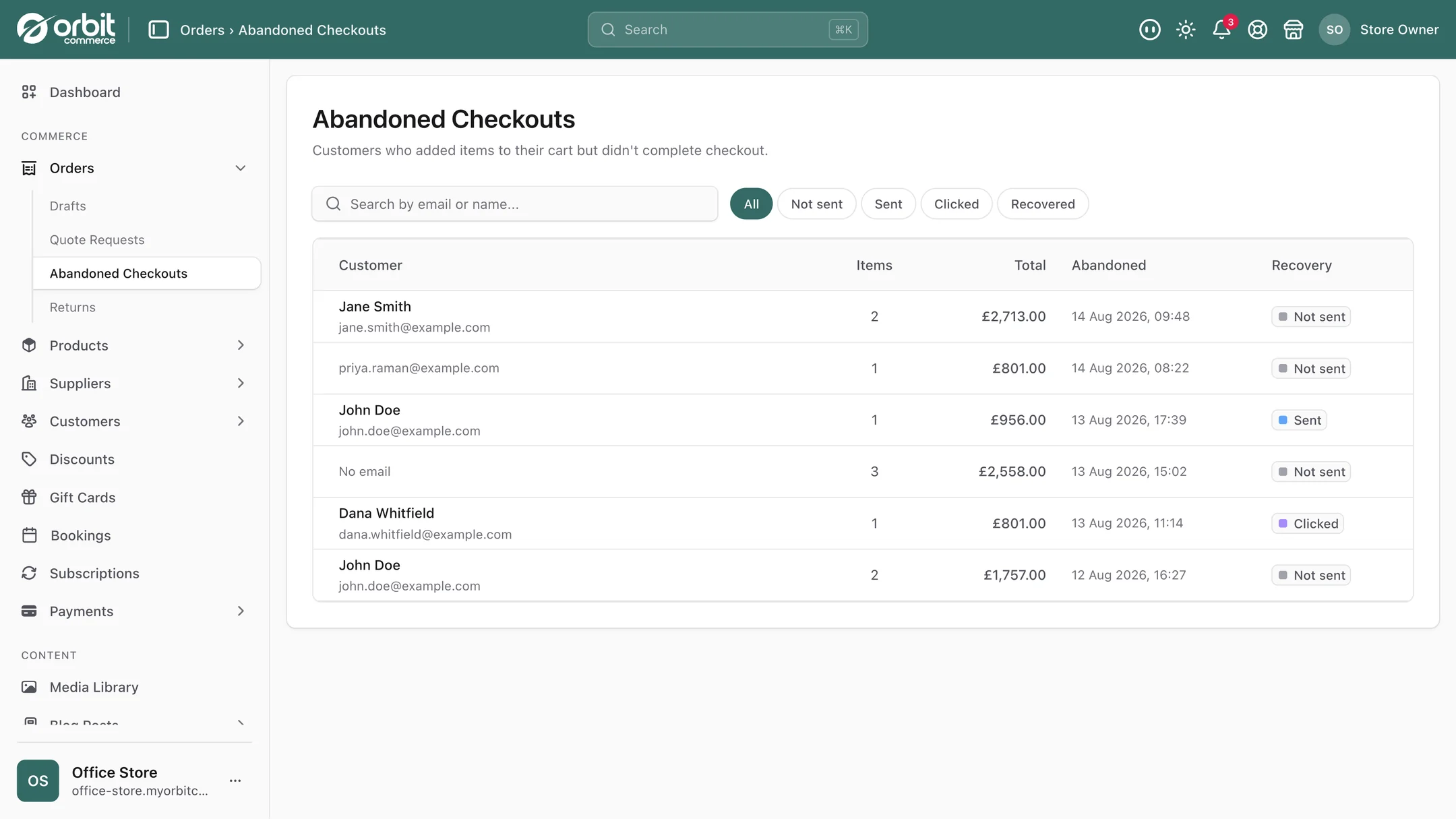
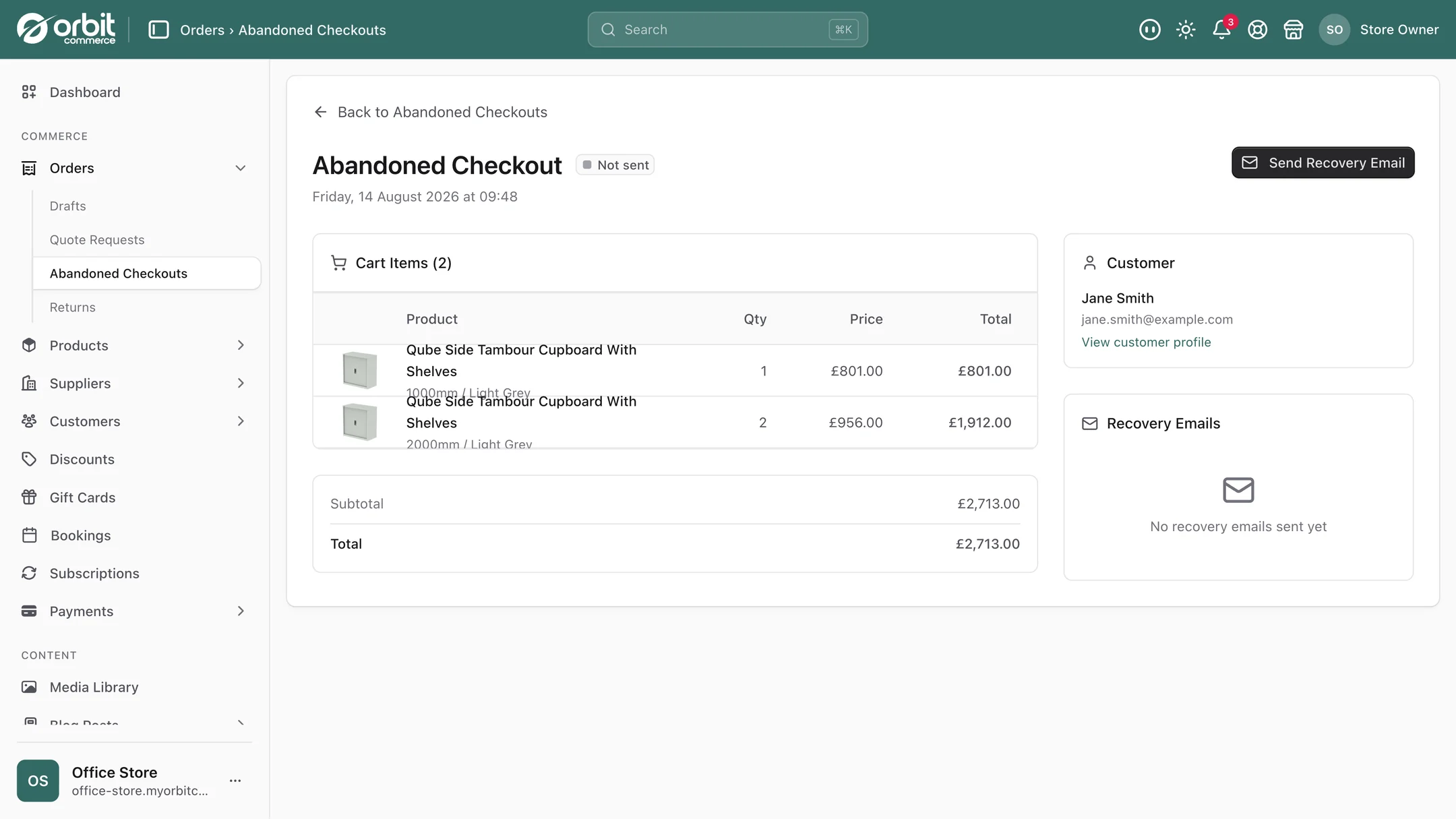
When a shopper abandons checkout, Orbit saves the basket and queues a recovery email containing a link straight back to it. Not to your homepage, to their basket, with their items still in it. When they click, they carry on from where they stopped rather than starting again.
It runs automatically, every time, on every plan. Set it once and it keeps working.
Timing, which matters more than the wording
You choose how long to wait: 1, 2, 4, 6, 12 or 24 hours after the basket is abandoned.
The trade-off is real. Too quick and you look like you are watching over their shoulder, and you catch people who put the phone down for ten minutes and were always coming back. Too slow and the intent has cooled, or they have bought elsewhere.
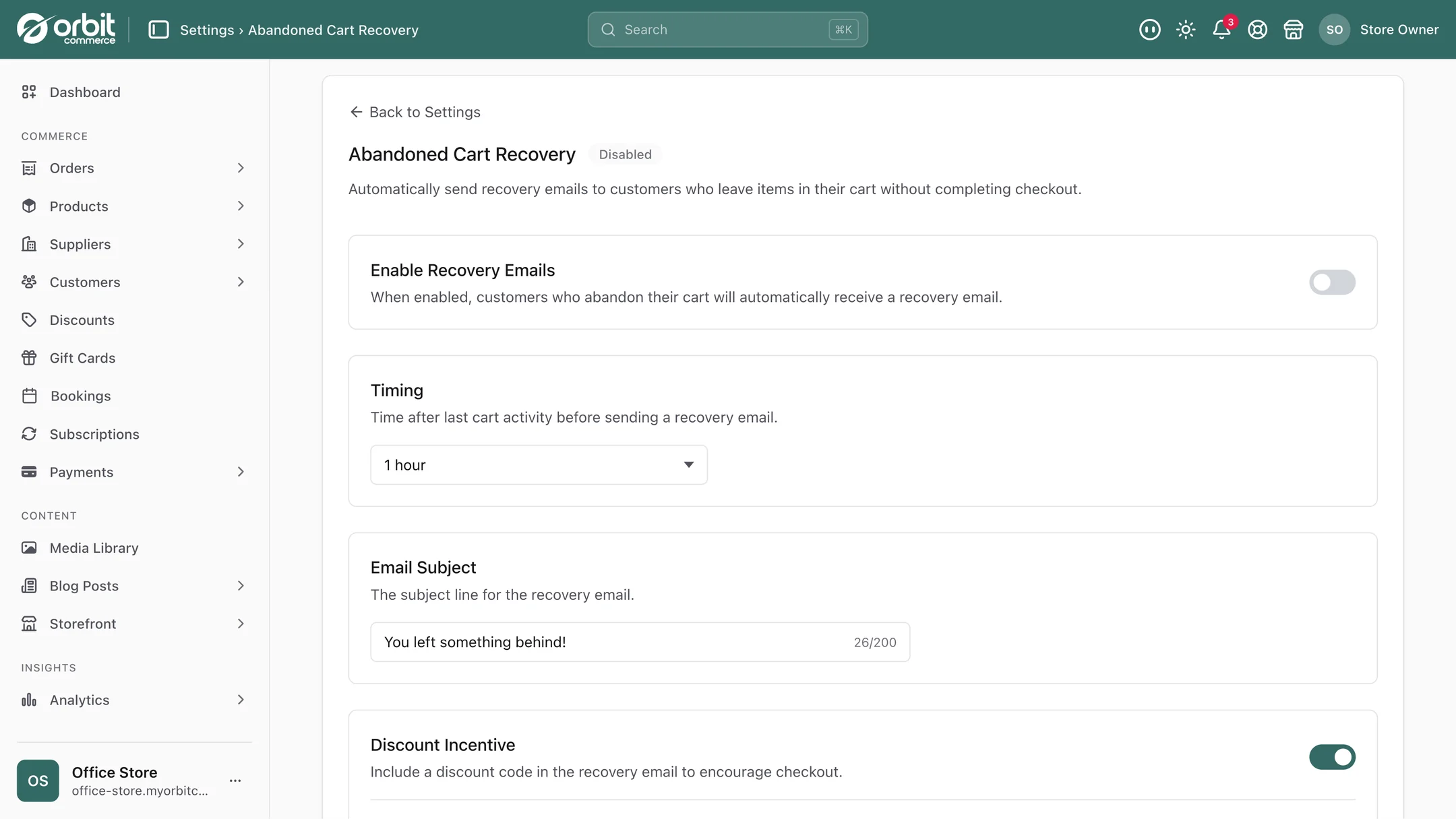
A few hours is the sensible default for most shops. Long enough to be a genuine reminder, short enough that the thing they wanted is still on their mind. If you sell considered purchases where people take days to decide, longer is fine. If you sell impulse items, shorter. It is worth trying one setting for a month, noting the recovery rate, and trying another.
Whether to include a discount
If you want to offer one, create a code under Discounts and write it into the recovery email in the template editor, and every reminder carries your offer. Or send it without one.
Both are defensible, and the choice is strategic rather than obvious.
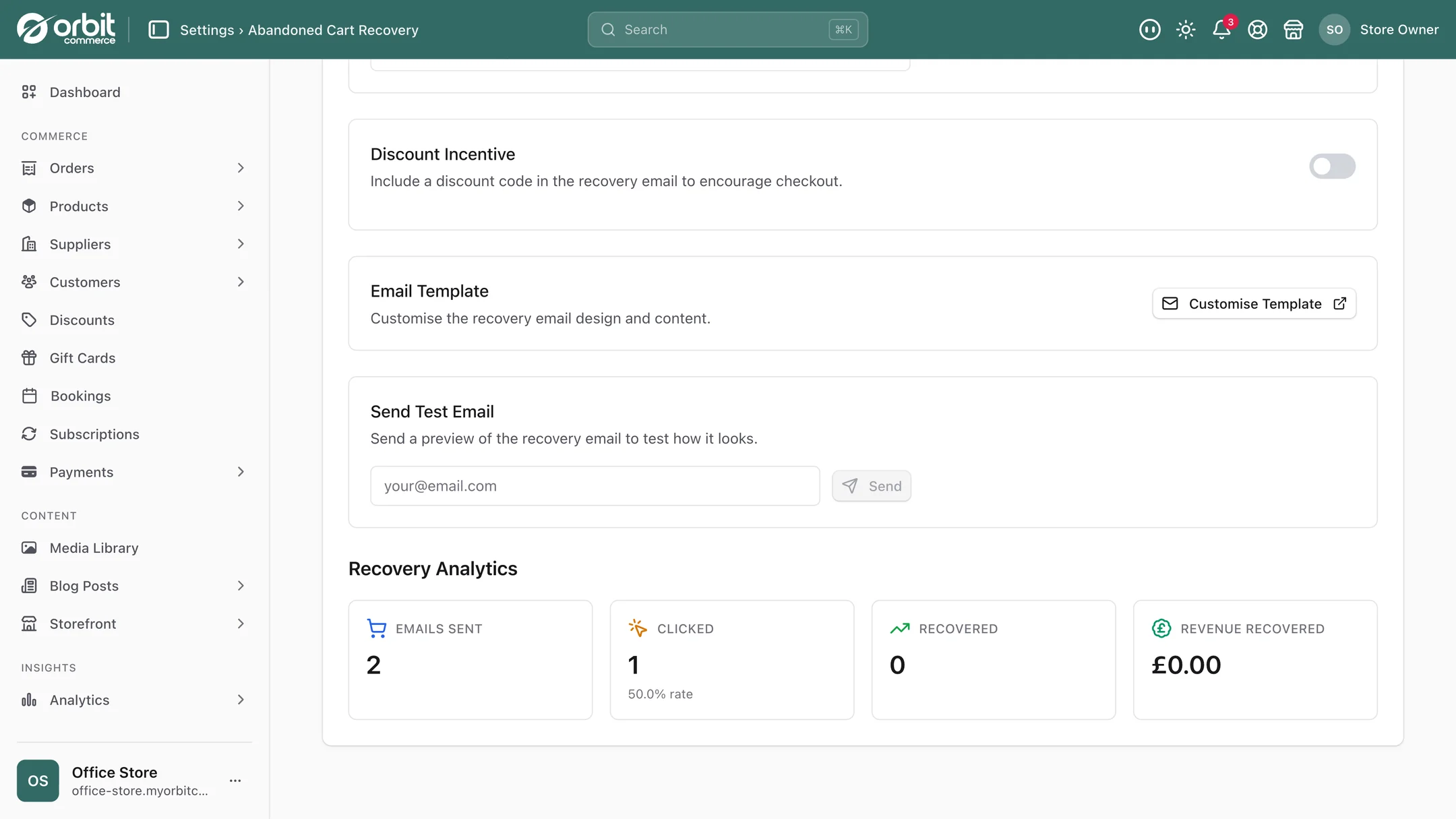
Sending without a code protects your margin and treats the email as what it usually is: a helpful reminder. A meaningful share of abandoned baskets return without any incentive, because the reason they left had nothing to do with price. Every discount you attach to those is money given away for nothing.
Sending with a code lifts the recovery rate, and costs you margin on every recovered order including the ones you would have recovered anyway.
There is also a longer-term risk worth naming. If you always discount abandoned baskets, a proportion of your customers will work that out. Abandoning becomes a way to get 10% off, and you have taught your best customers to hesitate. This is not hypothetical, it is a well documented pattern.
The pragmatic answer: start without a code and measure. You now have a baseline. If the recovery rate is disappointing, try a code and compare. At least then you are paying for lift you can actually see rather than assuming.
You can see what it brings back
This is the part that separates it from a feature you switch on and hope about. Orbit tracks every recovery email through four stages: queued, sent, clicked, and recovered. A cart whose order is placed after the email is marked recovered, so you see real recoveries rather than an estimate.
That matters for two reasons. It tells you whether the discount is worth its cost, because you can compare periods. And it tells you whether your problem is the email or the checkout. High click rate and low recovery means people are coming back and still not finishing, which is not an email problem at all. It is a checkout problem, and checkout quick wins is the place to go next.
Why people abandon in the first place
Recovery emails treat the symptom. Worth spending an hour on the cause, because the cheapest abandoned basket is the one that never happens.
- Delivery cost appearing late. The biggest single cause across retail. Postage revealed at the final step feels like a trick. Show it earlier, or use a free-delivery threshold so there is a number people can aim at. See shipping rules.
- Being made to create an account. A registration wall in front of a purchase costs real orders.
- Too many steps or too many fields. Every extra box is another chance to stop.
- Not enough payment options. If someone's preferred method is missing they will go elsewhere rather than adapt.
- Nothing reassuring in sight. Returns policy, delivery times and a real contact route matter most at the exact moment somebody is about to hand over a card.
Fixing those raises every order, not just the recovered ones.
Setting it up
- Turn it on and pick a delay. A few hours if you have no view.
- Write the email like a person. Short, friendly, no guilt. "You left these behind, here they are" beats a marketing campaign. Do not use a countdown timer.
- Start without a discount so you get a clean baseline.
- Leave it a month and read the recovered count and the recovery rate.
- Then change one thing: the delay or the discount, not both, or you learn nothing.
- Look at the click-to-recovery gap. If people click and still do not buy, stop tuning the email and go and fix the checkout.
Good to know
Guests are reminded too. A guest who typed their email at checkout gets the reminder, just as a signed-in customer does.
Every recovery is an extra order. Each one is a sale you were not getting, from an email that sends itself, and the recovered count shows you exactly how many came back.
Questions people ask about abandoned carts
How long should I wait before sending an abandoned cart email?
You can choose 1, 2, 4, 6, 12 or 24 hours, and a few hours suits most shops. Too fast catches people who only put their phone down and were always coming back, and reads as though you are watching them. Too slow and the intent has cooled or they have bought elsewhere. If you sell considered purchases, lean longer; for impulse items, shorter. Pick one, measure for a month, then try another.
Should my abandoned cart email include a discount code?
Start without one. A meaningful share of baskets come back with no incentive at all, because the reason for leaving was rarely price, and every code attached to those orders is margin given away for nothing. There is also a training risk: if you always discount abandoned baskets, some customers learn to abandon deliberately. Get a clean baseline first, then test a code and compare, so you are paying for lift you can actually see.
How do I know if abandoned cart recovery is actually working?
Every recovery email is tracked from queued to sent to clicked to recovered, and a cart whose order is placed after the email is marked recovered, so you see real recoveries rather than an estimate. The most useful thing in that data is the gap between clicks and recoveries. If plenty of people click through and still do not buy, the email is doing its job and your checkout is the problem.
Why do customers abandon their baskets?
The largest single cause across retail is delivery cost appearing late in checkout, which feels like a trick. After that: being forced to create an account, too many steps or form fields, missing payment options, and nothing reassuring on screen about returns and delivery at the moment of handing over a card. Fixing those improves every order, not just the recovered ones.
The short version
Switch it on, wait a few hours, and write the email like a person rather than a campaign. Start without a discount so you learn what recovery is worth before you pay for it. Read the recovery rate after a month, then change one variable at a time. And if people are clicking back and still not buying, the email is fine and your checkout is not.
What this saves you buying
On most platforms the things above arrive as separate paid apps. On Orbit they are part of the plan.
| What you would otherwise buy | The cost elsewhere |
|---|---|
| A cart recovery app | a monthly bill on top of your plan |
| An email tool with automation, for this one job | a monthly plan for one email |