Most small shops charge one postage price for everything, because setting up anything cleverer looked like a day of work. That single number is quietly costing you twice.
Set it at £3.95 and every heavy order loses money. Set it at £6.95 and every customer buying one small thing goes and looks somewhere else, because £6.95 postage on a £9 item feels like being told off. Set it in the middle and you do both, just less noticeably.
The fix is not a cleverer single number. It is letting the checkout work the price out from what is actually in the basket and where it is going. That is what shipping rules do, and Orbit's go a long way, so this guide goes properly into what you can build with them.
The three pieces, in order
Shipping in Orbit is three things stacked, and it makes a lot more sense once you see the order.
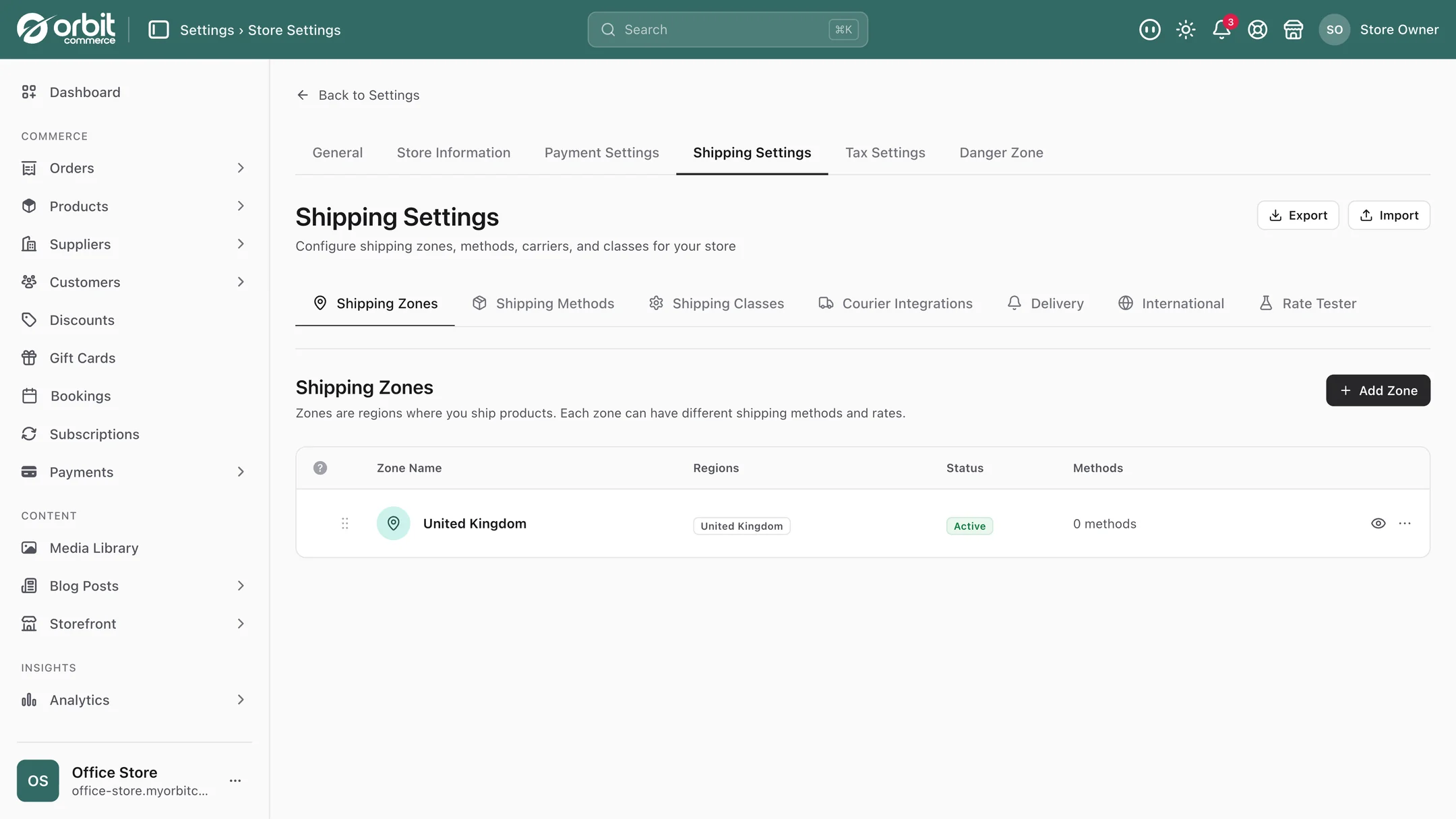
- Zones are where. Group the places you ship to: UK, Europe, rest of world, or any split that matches how you actually post things. Northern Ireland and the Highlands can be their own zone if your couriers treat them differently, because they do.
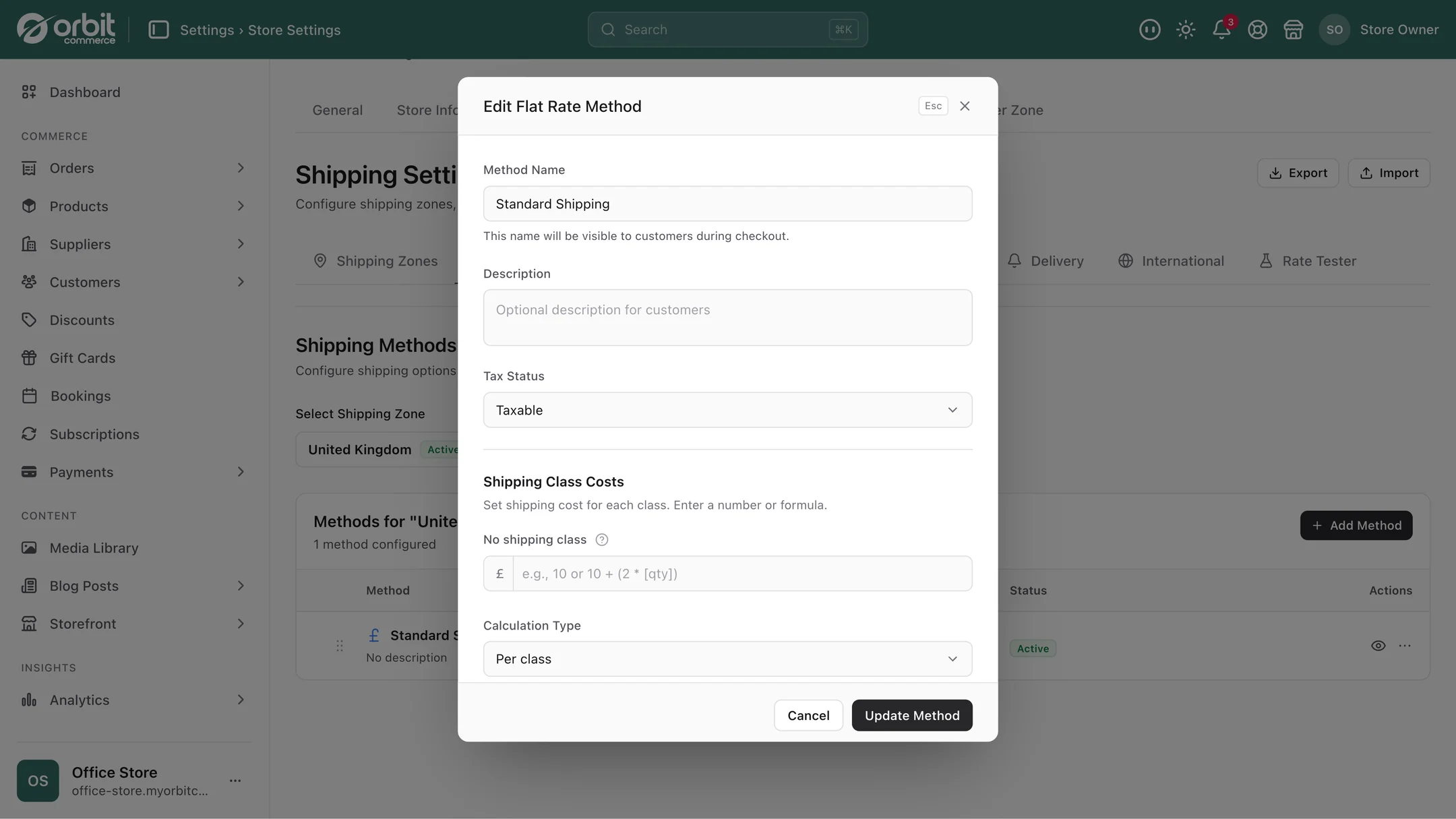
- Methods are how. Inside each zone, the options a customer picks from: standard, tracked, next day, click and collect.
- Rules are how much. Attached to a method, these decide the price based on what is in the basket.
Customers only see the methods for the zone they live in, so nobody in Aberdeen is offered your Republic of Ireland rate.
Shipping classes: the bit that makes the rest work
Before the rules, do this. A shipping class is a label you put on products that travel in a similar way. Fragile. Bulky. Oversized. Letterbox. Hazardous. You name them yourself, because your awkward products are awkward in your own particular way.
Once products carry a class, your rules can talk about them. "Anything in the bulky class costs £12 to send" is one rule that covers every wardrobe you will ever add, including the ones you have not added yet. Without classes, you would be writing rules about individual products forever.
A glass vase and a flat-pack shelf can both sit in your UK zone, on the same standard delivery method, and still be charged completely differently. That is the pay-off.
What a rule can look at
This is where Orbit goes further than most. A rule is one or more conditions, and the conditions can look at:
The basket as a whole. Total value, total number of items, total weight, total volume, and whether a discount code has been used.
What is in the basket. A specific product or variant, anything from a brand, anything from a category, anything with a given tag, anything in a shipping class, or anything with a particular option such as a size. It can even look at a custom field on the products, so if you added a "needs two people" field, your shipping rules can charge for it.
When it is. Time of day, day of the week, or a specific date. Useful for cut-off times and for turning next-day delivery off on a Friday afternoon when it is not going anywhere until Monday.
Where it is going. Delivery city, postcode, county or country. And separately, the billing address, which is occasionally what you actually want to check.
Who is buying. Whether they are logged in, whether it is their first order, a specific customer, or a custom field on the customer record such as a trade account flag.
Each condition uses a comparison: is, is not, more than, less than, at least, at most, between, is one of, is not one of, contains any of, contains all of. "Between" and "contains all of" are the two people underuse. Between gives you weight bands in a single rule. Contains all of lets you say "only when the basket has both a frame and a canvas".
What a rule can charge
Five ways to price, and they cover almost everything:
| Charge | What it means | Typical use |
|---|---|---|
| Free | Nothing | Over a spend threshold, or for trade accounts |
| Fixed amount | One price | Standard letterbox post |
| Based on weight | Scales with how heavy the parcel is | Anything you post by weight bands |
| Based on quantity | Scales with the number of items | Things that need one box each |
| Based on subtotal | Scales with basket value | Insured or high-value deliveries |
You can also set a base cost, a formula, and a minimum charge that acts as a floor so a per-weight rule never returns something silly like 40p.
When two rules both apply
This is the question that catches people out, and the answer is the most powerful part of the system. Say a customer's basket is over £60 (free delivery) and also contains a fragile item (£8 surcharge). What should happen?
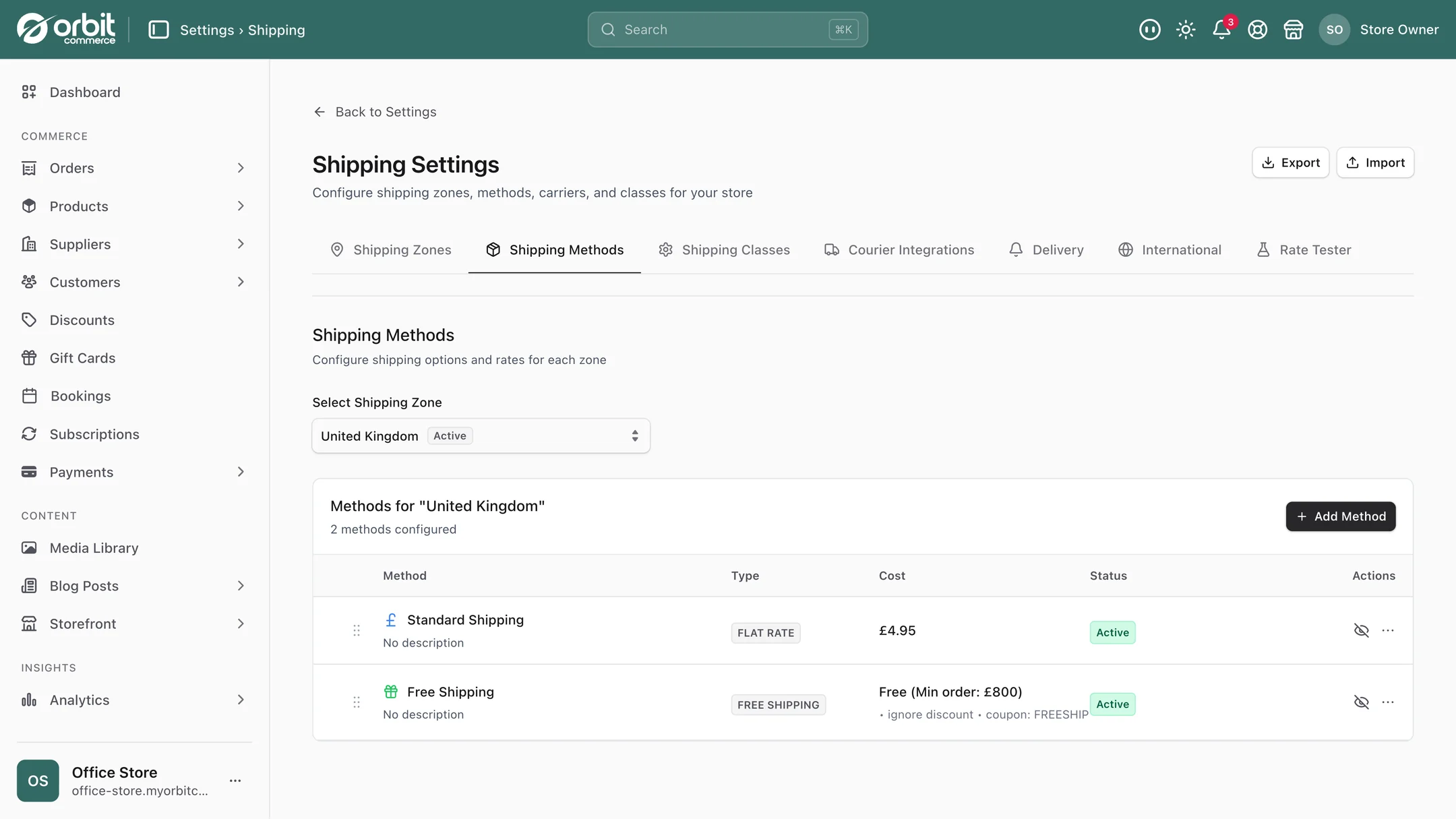
You decide, and there are seven different answers available:
- Match the most specific rule. The rule with the most conditions wins. Usually the right default, because your most detailed rule is normally your most deliberate one.
- Match the first rule that applies, in your order. Predictable, and you control the order.
- Match the last rule that applies. Handy when you want a catch-all at the bottom.
- Cheapest wins. Whichever matching rule is lowest. Customer-friendly.
- Dearest wins. Whichever matching rule is highest. Protects your margin on awkward baskets.
- Add them all together. Every matching rule is summed. This is how you build genuine surcharges: base postage plus £8 because something fragile is in there plus £4 because it is going to the Highlands.
- Show them all as separate options. Every matching rule appears at checkout as its own choice, and the customer picks.
That "add them all together" option is the one worth understanding, because it changes how you think. Instead of writing one enormous rule for every combination, you write small independent rules for each real cost, and let them stack. Fragile adds this. Remote postcode adds that. Over ten items adds the other. The maths happens at checkout.
Rules worth stealing
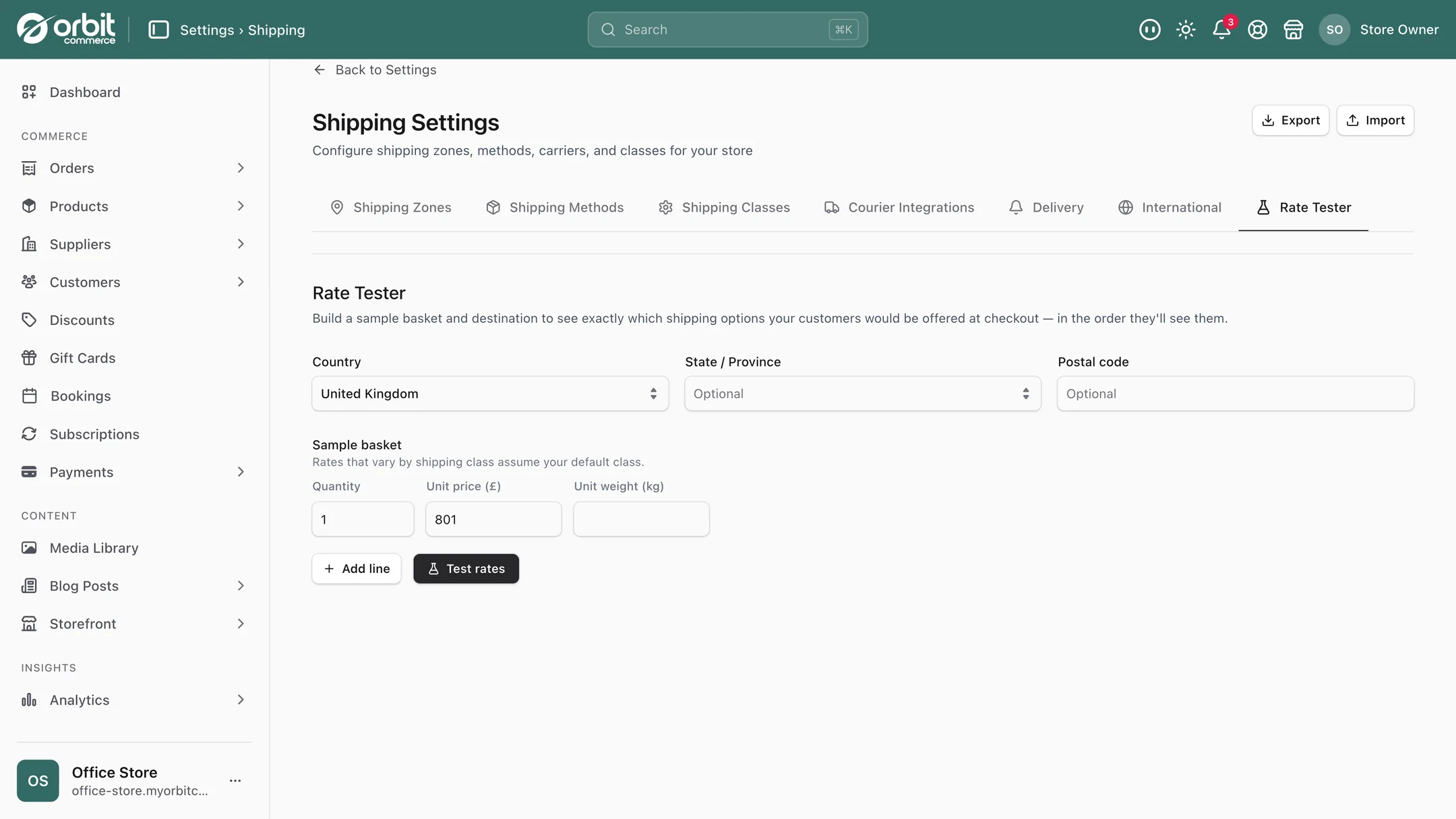
Free delivery over £50, everything else £3.95. The classic, and the most reliable basket-size lever there is. Pair it with a note in the basket telling people how much more they need to spend. There is more on this in our guide to discounts that actually pay.
Letterbox rate for small orders. A rule on total weight under 200 grams that charges the large-letter price. Buyers of one small item stop abandoning, because postage stops looking absurd next to the item price.
Fragile surcharge that maintains itself. Put your glassware in a fragile shipping class, add one rule charging extra for that class, choose the add-together strategy. Every future fragile product inherits the surcharge the moment you tag it.
Highlands and Islands, handled honestly. A rule on the delivery postcode with a realistic surcharge. It matches the full postcodes you list, typed with or without the space, so paste your list in and check it with the rate tester. Better than the two alternatives, which are quietly losing money on every Scottish order or refusing to ship there at all.
Next day, but only if it is really next day. Conditions on time of day and weekday, so the option disappears after your 2pm cut-off and does not reappear until Monday morning. This is a customer service feature disguised as a shipping rule.
Free delivery for trade accounts. A condition on a customer custom field, so your wholesale buyers never pay postage without you remembering to apply it. Sits neatly with company accounts and trade pricing.
One box per item. For anything that really cannot be combined, a per-quantity charge on that shipping class, so three of them cost three times as much to send, because they do.
Then buy the label without leaving the order
Rates are only half of it. When the order comes in, you buy the postage from inside the order itself. Orbit Shipping sells labels from Royal Mail, Evri, DPD, Yodel, Parcelforce, FedEx UK and GlobalPost on one setup rather than one per courier, or you can connect your own Royal Mail, DPD, Yodel or Parcelforce account. Orbit Shipping labels are billed to your card as you ship, with nothing to load up front.
The tracking number lands back on the order automatically when the label is created. Nobody copies reference numbers between browser tabs. If you are still choosing between couriers, our comparison of Royal Mail and a courier goes through the real numbers.
Setting it up without losing an afternoon
- Create your zones first. Start with UK and rest of world. Split further only when you have a real reason.
- Add shipping classes for your awkward products. Most shops need two or three. Fragile, bulky, letterbox covers a surprising amount.
- Tag your products with those classes. Use the bulk editor rather than opening each product.
- Add one method per zone to begin with. Standard delivery. Get that right before adding tracked and next-day.
- Write your simplest rule. A flat rate for everything. Check it appears at checkout.
- Add one rule at a time, testing each with a real basket. Free over £50 next, then your surcharges.
- Choose how conflicts resolve once you have more than one rule. If you are building surcharges, use add-them-together. Otherwise most specific wins is the sane default.
Test with a real basket at each step. Ten minutes of checking beats finding out from a customer.
Good to know
Rules are only as good as your product data. Weight-based rules need weights on your products. If half your catalogue has no weight, a per-weight rule will quietly undercharge. Fill the weights in first, in bulk.
Keep the rule set small. Everything described here is possible, which is not the same as advisable. A shop with 25 interacting rules will one day produce a checkout price nobody can explain. Build the smallest set that covers your actual costs, and write yourself a note about why each one exists.
Live carrier rates sit alongside your rules. Rules price from your own logic, which is predictable and fast. When you would rather charge what the courier charges, add a Carrier Calculated method and checkout quotes the carrier's live rate, with your markup, a floor, a cap and a fallback price if the carrier does not answer.
Questions people ask about shipping rules
How do I charge different postage for heavy or bulky items?
Two ways, and they combine well. Set weights on your products and use a weight-based rule, so postage scales with the parcel. Or create a shipping class called bulky, tag those products with it, and write one rule that charges extra whenever anything in that class is in the basket. The class approach is usually better for awkward items, because every future bulky product inherits the rule the moment you tag it.
Can I offer free delivery over a certain amount?
Yes, and it is one of the most effective things you can do to raise average order value. Add a rule with a condition on basket subtotal being at or above your threshold, and set the charge to free. Pick the threshold slightly above your current average order value, so it pulls baskets up rather than giving away postage you were already earning.
What happens if two shipping rules both apply to one order?
You choose, and there are seven options. The most useful are: the most specific rule wins, which suits most shops; the cheapest matching rule wins, which is customer-friendly; and add all matching rules together, which is how you build stacking surcharges such as base postage plus a fragile charge plus a remote-postcode charge. You can also show every matching rule at checkout as a separate option and let the customer decide.
Can I charge more for delivery to the Scottish Highlands?
Yes. Add a rule with a condition on the delivery postcode and set a surcharge. The condition matches the full postcodes you list, typed with or without the space, so check your list in the rate tester. It is a lot better than the two common alternatives, which are absorbing the extra cost silently or refusing to ship there.
Do I need a separate app for advanced shipping rates?
Not on Orbit. Zones, methods, shipping classes, conditional rules, live carrier rates and carrier labels are part of the platform on every plan. On most other platforms advanced rates come from a separate app, often with a second subscription for buying labels.
The short version
Zones for where, methods for how, rules for how much. Put your awkward products into shipping classes before you write a single rule, because that is what makes the rules maintainable. Start with a flat rate, add free over a threshold, then add surcharges one at a time and test each with a real basket. If you are stacking surcharges, set conflicts to add together. And fill in your product weights, because every clever weight rule quietly depends on them.
What this saves you buying
On most platforms the things above arrive as separate paid apps. On Orbit they are part of the plan.
| What you would otherwise buy | The cost elsewhere |
|---|---|
| An advanced shipping rates app | a monthly bill on top of your plan |
| A shipping-by-weight or by-postcode app | another monthly bill |
| A label-buying tool with its own subscription | a monthly fee before any postage |