Every shop owner meets this moment. Your dashboard says you sold £8,400 in March. Your bank received something like £8,050, in irregular lumps, on dates that do not line up with anything. Neither number is wrong, and nobody has explained the gap.
The gap is fees, refunds, timing and tax. All four are knowable. What makes month-end painful is not the complexity, it is having the information scattered across three systems, none of which agree.
How a payment actually reaches your bank
Worth understanding once, because it explains almost every reconciliation question.
- The customer pays. £48 leaves their card. That is your sale.
- The processor takes its cut. On Orbit's Solo plan a UK personal card costs 2% plus 25p, so £1.21. The rate drops on higher plans, to 1.7% plus 25p on Team and 1.5% plus 25p on Pro and Enterprise, and business, European and international cards have their own rates. Current rates are on the payments page.
- The money sits briefly in your balance rather than moving instantly.
- A payout is sent on your schedule, bundling many orders into one bank deposit.
- Your bank shows one figure that matches no single order, because it is dozens of them minus fees.
That last step is the one that causes the confusion. You are trying to match a deposit to sales, and it never matches, because it never can.
What makes it reconcilable
Every payout is followed to the bank. You see the schedule, then track each payout from initiation to the money landing, with fees broken out per transaction. So the number in your bank has a working underneath it rather than being a figure you accept.
A running balance with the receipts. Your live balance, backed by a full transaction history: every charge, refund and fee, filterable by date range. No unexplained line items and no "what was that" at month end.
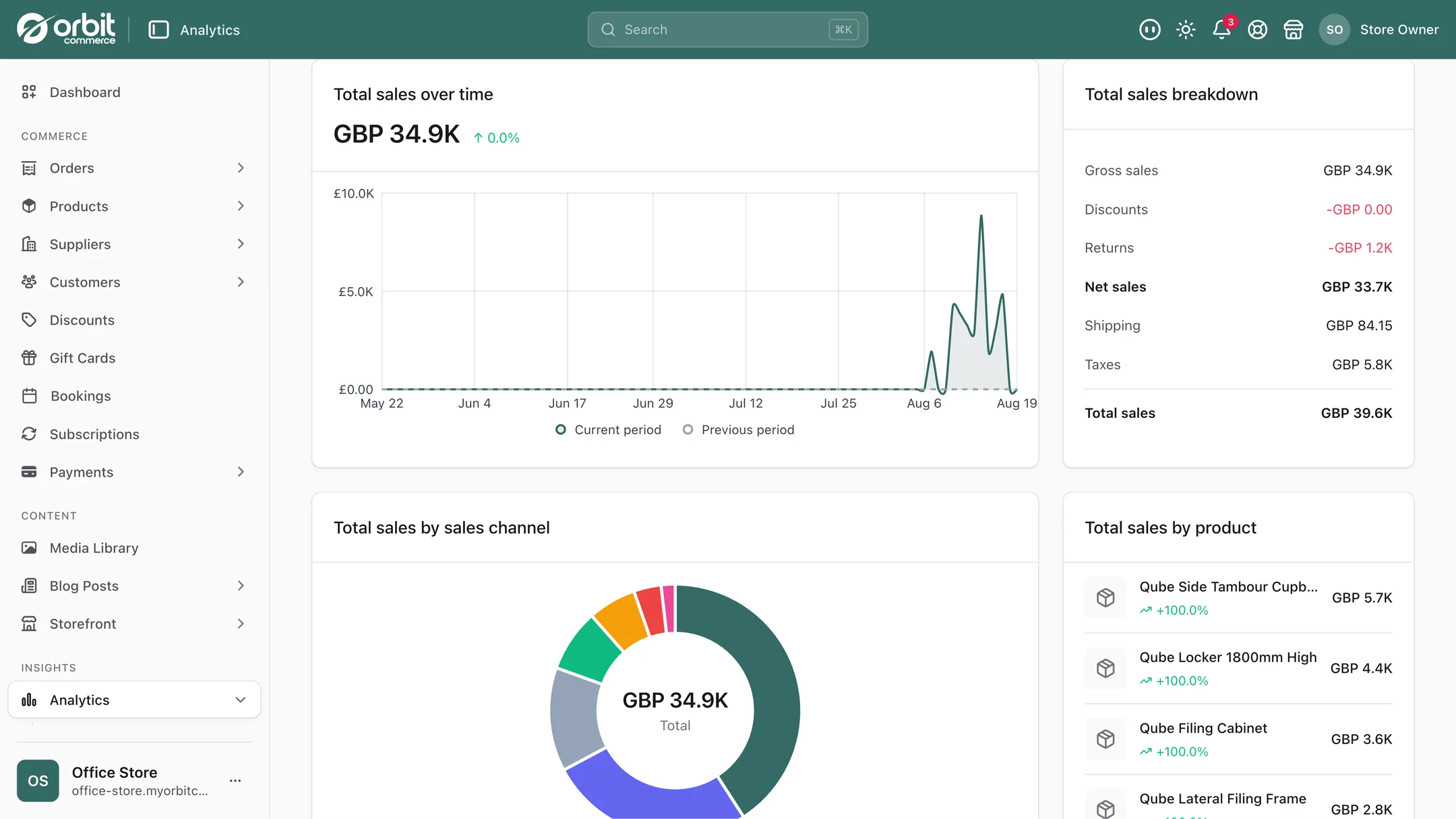
Fees per transaction. Every payout shows what each sale actually cost to process. This is more useful than a monthly total, because it lets you see the real margin on an individual order rather than an average smeared across everything.
Refunds that write back. Every refund updates the tax report and the payout reconciliation, so you get a clean net figure rather than hunting at quarter end for what you already sent back. Refunds are where most manual reconciliation goes wrong, because they are easy to forget and they move two numbers at once.
Tax, set once
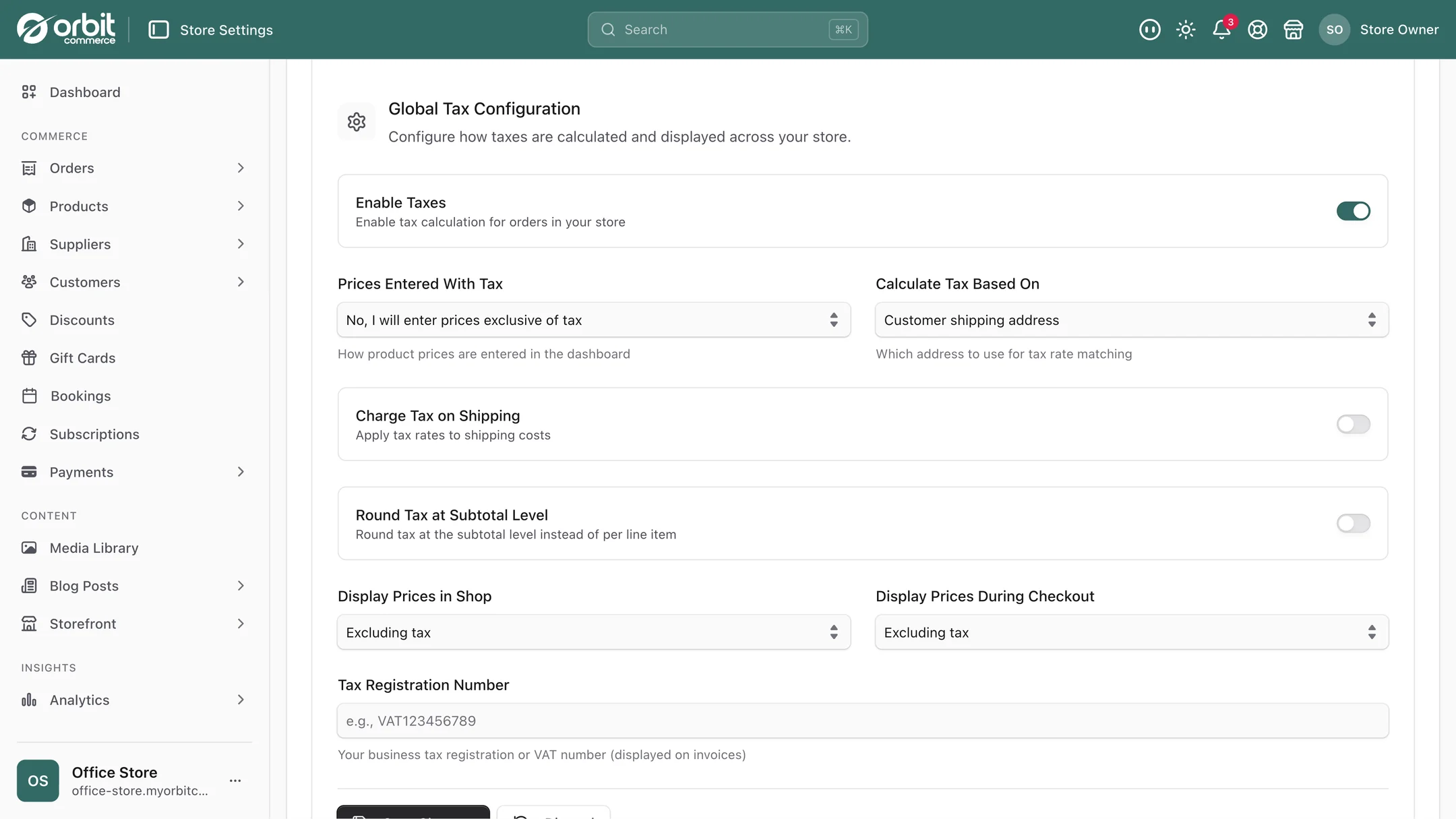
You configure VAT, sales tax and reduced rates per region and per product type. Change a rate in one place and every new order picks it up from that point on, which matters because rates do change and retrospectively fixing orders is nobody's idea of a good week.
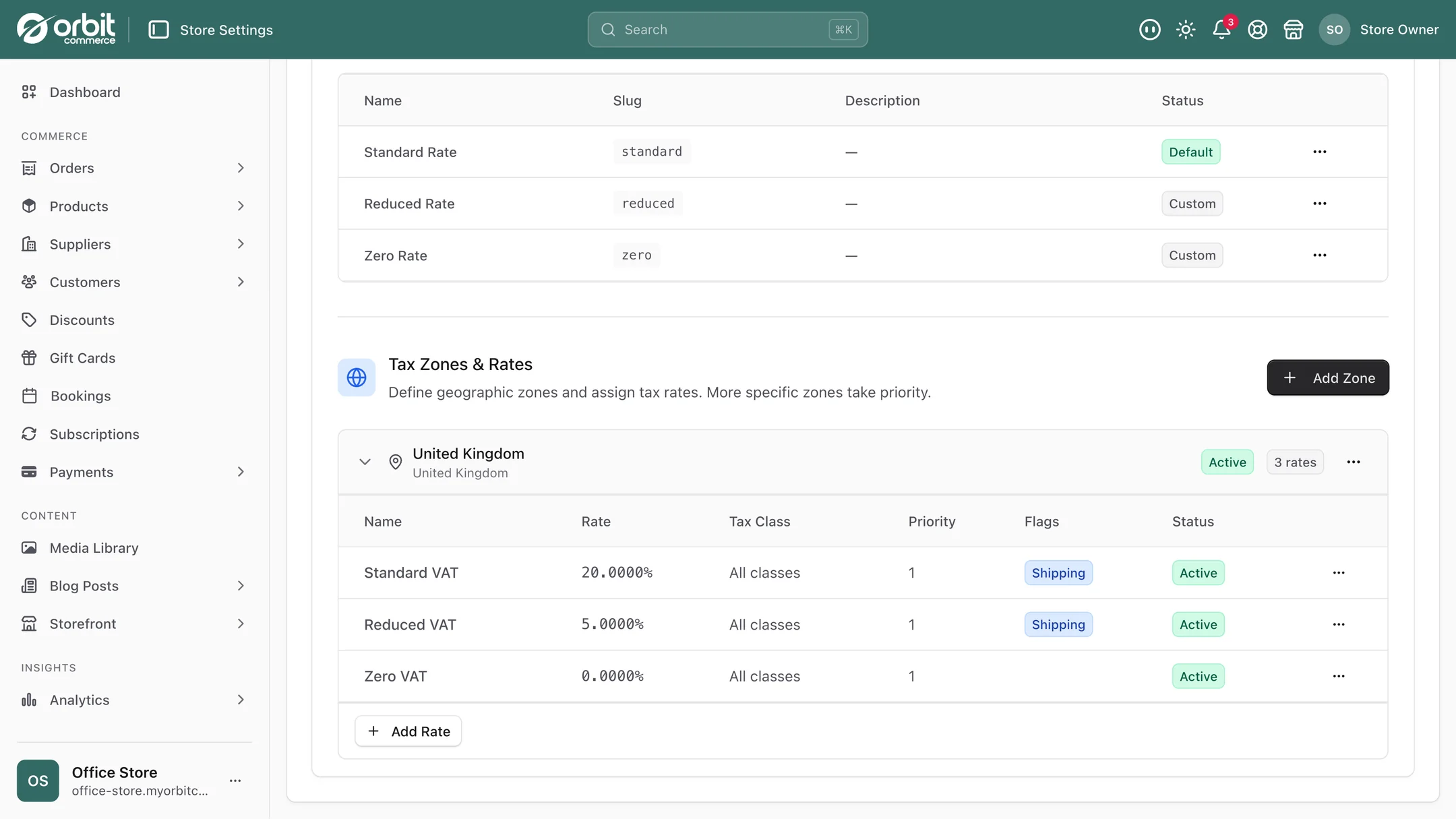
One specific case is worth knowing about, because it catches people out:
Exempt and reduced-rate products. UK VAT is not one rate. Most children's clothing is zero-rated. Books are zero-rated. Some food is, some emphatically is not. If you sell across those lines, setting rates per product type rather than per shop is the difference between correct returns and an expensive correction later. Our plain guide to UK VAT for online sellers covers where the thresholds and categories sit.
Selling in more than one currency
If you sell abroad, showing prices in the visitor's own currency removes a real hesitation at the worst possible moment.
The currency switcher itself lives in your header, covered in the navigation guide.
Handing it to your accountant
VAT invoices and the finance summary are generated from real transaction data rather than assembled by hand. The Xero and QuickBooks Online plugins send each paid order to your accounts as a sales invoice with its payment, and each refund as a credit note or refund receipt, against the accounts and VAT rates you map once. For any other package, orders and reports export for your accounting software or bookkeeper.
The practical benefit is that the answer to "can you send me the March figures" is a download rather than an evening. And when your accountant asks why the VAT figure moved, the transaction history has the answer instead of your memory.
A monthly routine that takes ten minutes
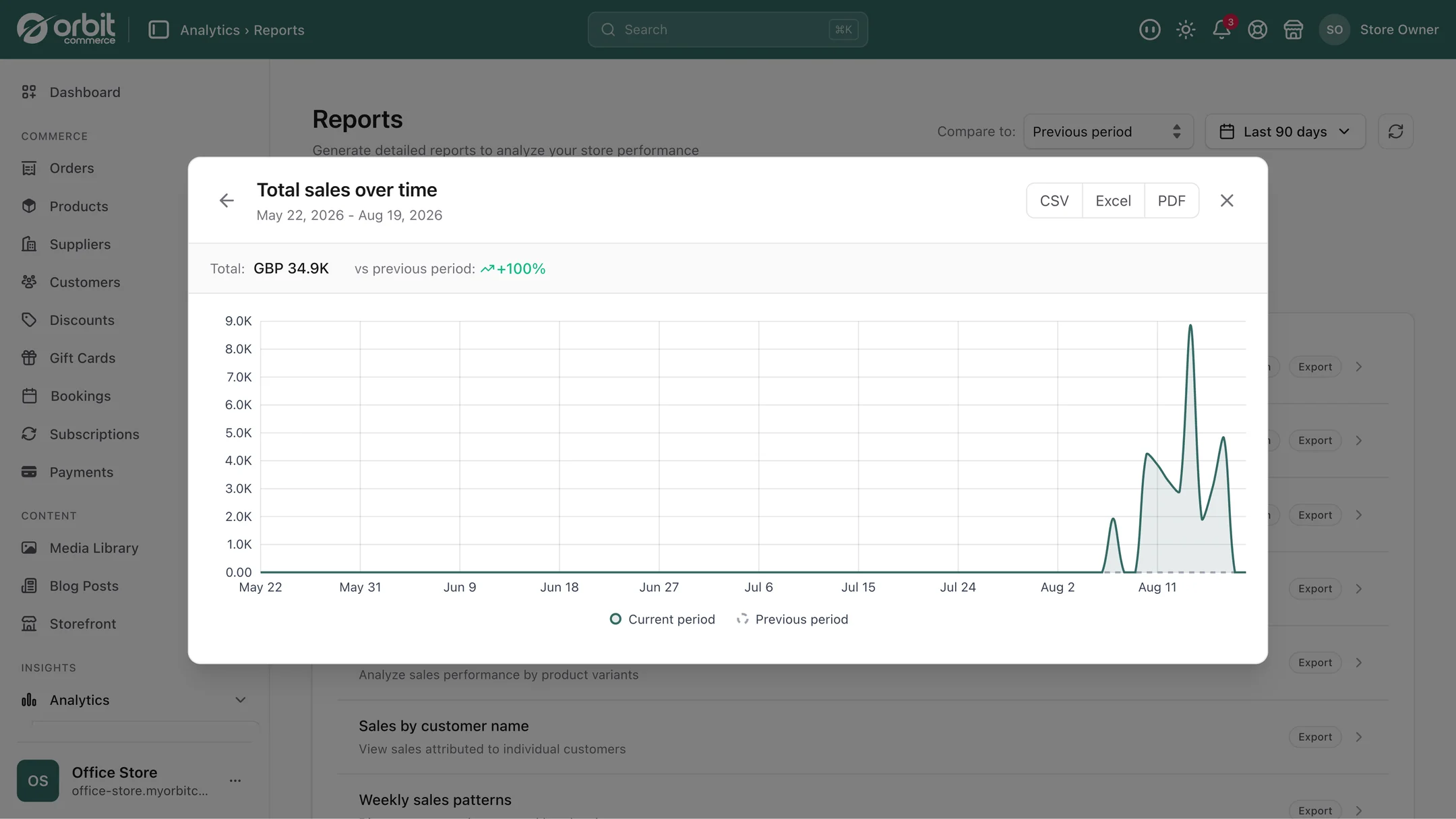
- Filter the transaction history to the month. Check the totals look like the month you remember.
- Check payouts landed. Each one from initiation to arrival. Anything stuck is worth knowing about now rather than in three weeks.
- Read the fee total. If it has moved as a percentage of sales, something changed in your mix, such as more international orders or a payment method with a different rate.
- Scan refunds. A rising trend is a product or delivery problem talking to you. Cross-reference with returns.
- Export the CSV and send it on. Done.
Good to know
Your accountant gets clean records. The system records exactly what happened. Whether you should be VAT registered, which scheme suits you, and how to treat a particular product are questions for an accountant, and a good one costs less than the mistakes.
Check your rates once, carefully. A rate you set is applied to every order from then on, consistently and confidently, so check the rates when you set them up, and check them again after any change.
Every payout, followed to your bank. The payment processor sets the payout schedule, and Orbit shows where each payout is, from initiation to arrival, which is what you need when a customer or a supplier is waiting.
Questions people ask about payouts and fees
Why does my bank deposit not match my sales figure?
Because a payout bundles many orders into one deposit and subtracts processing fees, and it arrives on the processor's schedule rather than at the moment of sale. Refunds move the number again. Orbit shows the payout schedule, tracks each payout from initiation to arrival, and breaks fees out per transaction, so the deposit has a visible working behind it rather than being a figure you have to accept.
Can I set different VAT rates for different products?
Yes, and for most UK shops you should. VAT is not a single rate: most children’s clothing and books are zero-rated, and food splits in ways that surprise people. You configure VAT, sales tax and reduced rates per region and per product type, and changing a rate in one place applies it to every new order from that point on. Getting this right at setup is far cheaper than correcting it later.
How do refunds affect my tax reporting?
Every refund writes back to both the tax report and the payout reconciliation, so you end up with a clean net figure rather than searching at quarter end for what you already returned. This is the single most common source of manual reconciliation errors, because refunds are easy to overlook and they move two numbers at once.
Can I sell in more than one currency?
Yes. Add a currency and shoppers who pick it see your pound prices converted, rounded the way you choose. A currency switcher can sit in your header for visitors to choose.
The short version
Your bank deposit will never match your sales figure, and that is normal: it is many orders, minus fees, on the processor's schedule. What matters is being able to explain the difference, which means payouts tracked to arrival, fees broken out per transaction, and refunds writing back to both the tax report and the reconciliation. Set your VAT rates per product type carefully at the start, do a ten minute check monthly, and export the CSV rather than rebuilding it by hand.
What this saves you buying
On most platforms the things above arrive as separate paid apps. On Orbit they are part of the plan.
| What you would otherwise buy | The cost elsewhere |
|---|---|
| A tax calculation app | a monthly bill on top of your plan |
| A payout reconciliation tool | another monthly bill |
| The evening spent matching a spreadsheet to a bank statement | monthly, forever |